Meta AI Assistant Capabilities Features (2026): The Ultimate In-Depth Guide
Introduction
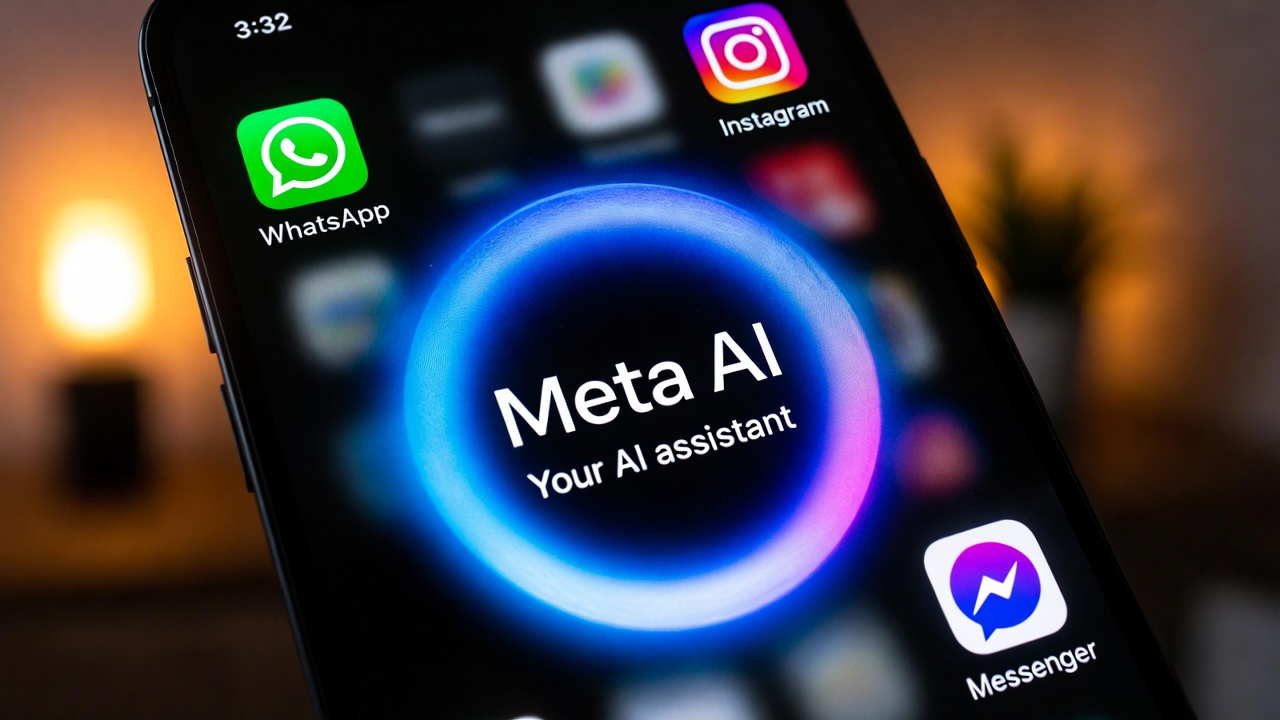
Have you recently noticed a small blue-purple circle quietly appearing inside your WhatsApp, Instagram, or Facebook Messenger?
At first glance, it looks simple. Just another update. Another feature.
But if you haven’t tapped on it yet, you might be overlooking one of the biggest changes happening inside social media right now.
That little circle is Meta AI — and it’s not just another chatbot.
For years, social media was mainly about conversations, photos, and endless scrolling. We opened apps to message friends, watch reels, or react to posts. If we needed help writing something, solving a problem, planning a trip, or generating ideas, we had to leave the app and search somewhere else.
In 2026, that changed.
Meta quietly transformed its platforms into intelligent, AI-powered environments. Now, you don’t have to switch apps to brainstorm captions, create AI images, translate messages, summarize conversations, or even troubleshoot code. The assistant is built directly into your chat window.
That’s where the real story begins.
But here’s the bigger question:
Is Meta AI just a built-in chatbot designed to compete with ChatGPT?
Or is it evolving into something much more powerful — a fully integrated AI layer across the social internet?
In this in-depth guide, we’ll break down the real meta ai assistant capabilities features that are reshaping how billions of people use social platforms every day.
We’ll explore:
- What Meta AI can actually do inside WhatsApp, Instagram, and Messenger
- How its real-time image generation works
- Where it helps with productivity and problem-solving
- And whether it can truly replace standalone AI tools
By the end of this guide, you’ll have a clear understanding of whether Meta AI is simply convenient — or genuinely transformative.
Let’s explore the future of social networking — where AI lives directly inside your conversations.
What Is Meta AI? (Now Powered by Llama 4) 🧠
Before we explore all the features and real-world use cases, it helps to understand what actually powers Meta AI behind the scenes.
Meta AI isn’t a basic scripted chatbot. It runs on Llama 4, Meta’s newest and most advanced open-source Large Language Model.
If that sounds technical, here’s a simple way to understand it:
👉 Llama 4 is the brain.
Meta AI is the assistant you talk to.
Llama 4 is an upgrade over Llama 3, designed to handle deeper reasoning, better context understanding, improved multilingual performance, and more accurate responses. In practical terms, that means Meta AI feels smoother, more natural, and more reliable in conversations.
It doesn’t just respond to keywords.
It understands context.
For example:
- It can follow longer conversations without losing track.
- It can interpret tone more accurately.
- It can explain complex topics more clearly.
- It can generate better structured answers.
Earlier chatbots often relied on fixed patterns or shallow matching systems. With Llama 4, Meta AI can process nuance — meaning it understands why you’re asking something, not just what you typed.
That difference matters.
What Makes Meta AI Different?
Unlike many standalone AI tools that require:
- Downloading a separate app
- Creating a new account
- Paying a monthly subscription
Meta AI is designed for everyday convenience.
✅ Free
Basic access costs nothing. You don’t need a paid plan just to try it.
✅ Fully Integrated
It lives inside apps you already use daily — WhatsApp, Instagram, Facebook, and Messenger.
No extra setup.
No switching between tools.
No learning curve.
✅ Real-Time Access
Through web integrations and search partnerships, Meta AI can retrieve up-to-date information instead of relying only on past training data.
That means it can discuss recent news, sports scores, and current events more effectively than earlier-generation models.
When you look at the broader meta ai assistant capabilities features, the real strength isn’t just that it’s powered by Llama 4.
It’s that this advanced model is placed directly inside social conversations used by billions of people.
Meta didn’t just upgrade the model.
It embedded a more capable AI brain into platforms people already trust and use daily.
And that changes how AI becomes part of everyday life.

Top 1: The Imagine Feature (Real-Time Image Generation) 🎨
If there’s one feature that made Meta AI go viral almost overnight, it’s the “Imagine” feature.
Most AI image generators make you type a prompt… wait 30 to 60 seconds… and then finally show you the result.
Meta AI does something different.
As you type, the image starts forming in real-time. You literally watch your imagination come alive on the screen.
That instant feedback changes the experience completely. It feels less like generating an image — and more like creating one together with the AI.
This is one of the most exciting meta ai assistant capabilities features, because it turns creativity into a live interaction instead of a slow process.
How It Works
Using it is surprisingly simple.
Inside a chat (WhatsApp, Messenger, or Instagram), you type: /imagine
Then you add your prompt.
For example:
Imagine a soccer match on Mars.
Within seconds, Meta AI generates a high-quality, imaginative image — complete with red dust fields, futuristic spacesuits, and an alien stadium vibe.
You don’t need design skills.
You don’t need editing tools.
You don’t need another app.
Everything happens inside your conversation.
The Reimagine Capability (Where It Gets Fun)
Now here’s where things become truly interactive.
Let’s say you send that Mars soccer image to a WhatsApp group.
Your friend can press and hold the image and tap “Reimagine.”
Then they can add a twist like:
Add aliens cheering in the background.
The AI modifies the original image instantly.
This turns image creation into a collaborative experience. It’s not just you generating something — it becomes a creative game between friends.
That’s something most standalone AI tools don’t offer.
Real-Life Use Cases
This feature isn’t just for fun (though it’s very fun).
It’s perfect for:
- Creating custom birthday cards
- Designing funny memes for friends
- Generating quick visual ideas for presentations
- Mocking up marketing visuals
- Brainstorming product packaging concepts
- Making engaging social media posts
Because it’s fast and built into chat, the barrier to creativity disappears.
And that’s what makes this one of the strongest meta ai assistant capabilities features in 2026 — it blends AI, creativity, and social interaction into one seamless experience.

Top 2: The Social Planner (Group Chat Integration) 👥
Let’s be honest.
Planning anything in a group chat is chaos.
Dinner plans turn into 200 unread messages.
Trip planning becomes a debate.
No one agrees.
And somehow… no one wants to actually research anything.
This is where Meta AI quietly becomes the most organized person in the group.
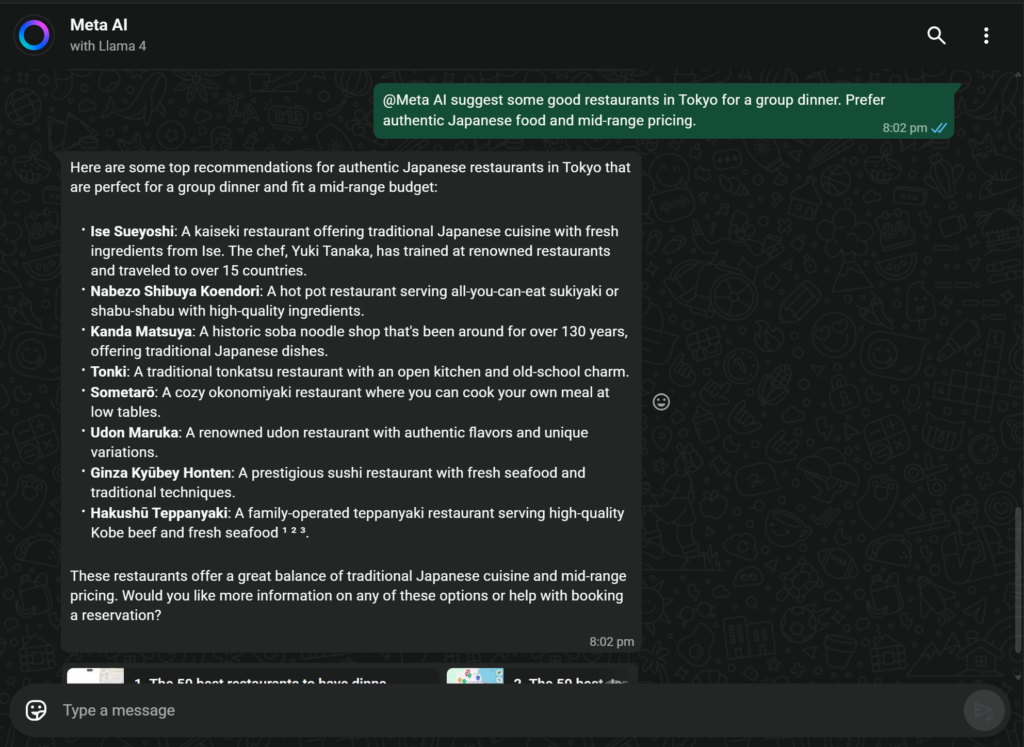
One of the most practical meta ai assistant capabilities features is its ability to step into group conversations — but only when you invite it. It doesn’t spy. It doesn’t interrupt. It joins only when mentioned.
That small detail matters.
How to Use It
Using Meta AI inside a group chat is simple.
In WhatsApp, Messenger, or Instagram DM, type: @Meta AI
Then ask your question.
For example:
@Meta AI, suggest 3 Italian restaurants in downtown Chicago with vegetarian options and at least a 4-star rating.
Within seconds, the AI searches the web and posts organized results directly into the group chat — complete with ratings and relevant details.
No one needs to leave the chat.
No one needs to open Google.
No one needs to copy and paste links.
Everything stays inside the conversation.
What Else Can It Do in Groups?
This feature isn’t limited to restaurants.
You can use it to:
- ✈️ Find flights for specific dates
- 🎬 Suggest movie times nearby
- 📍 Recommend tourist attractions
- 🏨 Compare hotels
- 🏆 Settle random debates
(Example: @Meta AI, who won the 2010 World Cup?)
Instead of five people Googling separately and sending different screenshots, Meta AI becomes the shared researcher for everyone.
It removes friction.
It keeps conversations smooth.
And most importantly, it saves time.
That’s why this is one of the most socially powerful meta ai assistant capabilities features — it blends information retrieval with real-time conversation.
AI doesn’t replace the discussion.
It simply supports it.
Top 3: Information Retrieval & Search 🔍
There was a time when every question automatically meant one thing:
Let me Google it.
Open browser.
Type search query.
Scroll through ads.
Click multiple links.
Compare information.
Meta AI is trying to simplify that entire process.
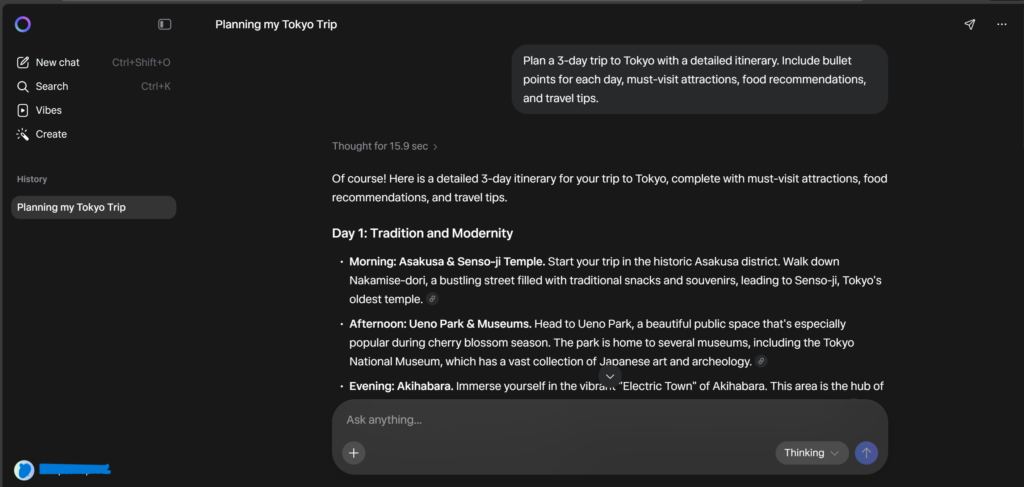
Because Meta AI is connected to the internet — through partnerships with search providers like Bing — it can access current, real-time information. That means it’s not limited to outdated training data.
If something happened this morning, Meta AI can talk about it today.
That alone makes it very different from older AI models that relied only on pre-trained knowledge.
When analyzing the broader meta ai assistant capabilities features, this real-time search ability turns Meta AI from a conversational assistant into a practical, everyday research tool.
What Can It Actually Do?
Here’s where this feature becomes powerful.
🏀 Live Sports Scores
You can ask:
What’s the latest NBA score?
Who won the Premier League match today?
Instead of searching manually, the answer appears directly in your chat.
📰 News Summaries
Ask:
What are the top tech headlines today?
Instead of reading five different news sites, Meta AI gives you a clean summary.
📈 Stock Market Updates
Want quick market info?
What’s the current price of Apple stock?
How is Tesla performing today?
You’ll receive up-to-date numbers instantly.
📚 Educational Research
This is especially useful for students.
Ask:
Explain quantum computing in simple terms.
Summarize World War II in bullet points.
Meta AI can break down complex topics into simple, digestible explanations — without you having to open ten different tabs.
Why This Matters
The real advantage isn’t just speed.
It’s integration.
You don’t leave WhatsApp.
You don’t switch apps.
You don’t lose your conversation context.
Information retrieval happens inside your chat window.
That’s why this is one of the most practical meta ai assistant capabilities features — it reduces friction between curiosity and answers.
It’s no longer search, read, return.
It’s simply ask and continue.
That shift might sound small.
But at scale, it changes how people interact with information online.
Top 4: Coding and Math Assistant 💻
Don’t let the social media assistant label mislead you.
Meta AI isn’t just for generating images or helping you plan dinner with friends. Behind the scenes, it now runs on Llama 4, Meta’s latest and most advanced language model, which significantly improves its reasoning, context understanding, and problem-solving abilities.
That means it’s surprisingly capable when it comes to technical tasks — especially coding and math.
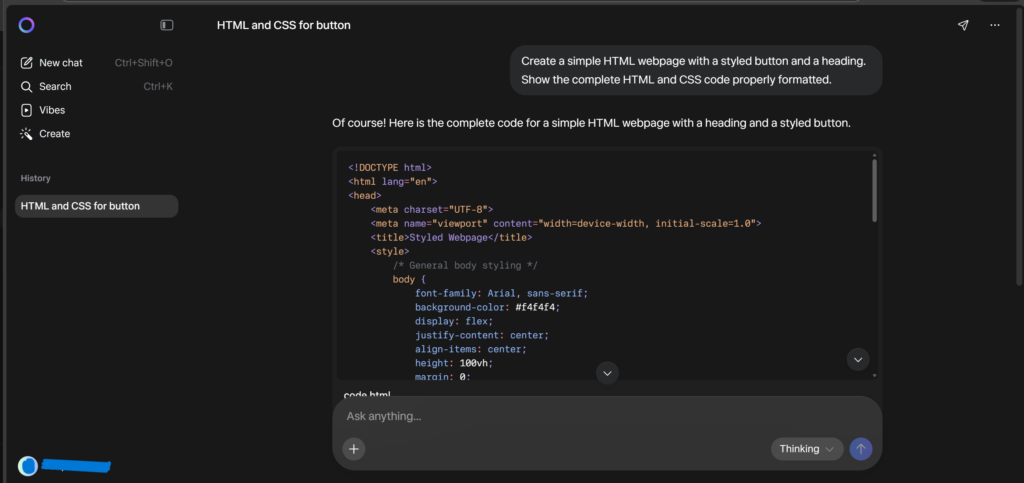
When we examine the deeper meta ai assistant capabilities features, its ability to understand structured logic makes it useful not just for casual users, but for students and developers as well.
For Developers: Debugging & Code Explanation
If you’ve ever stared at a piece of code wondering why it refuses to work, you’ll appreciate this feature.
You can paste a snippet of broken Python, JavaScript, or even HTML/CSS directly into the chat and ask:
“Debug this code and explain what’s wrong.”
Meta AI doesn’t just fix the issue.
It explains the mistake.
For example:
- It might point out a missing bracket
- Incorrect variable scope
- Logical errors in loops
- Syntax mistakes
More importantly, it explains why the code failed.
That turns it from a quick-fix tool into a learning assistant.
It’s not replacing Stack Overflow — but it reduces the time you spend searching for answers across multiple threads.
For beginners especially, this feels like having a coding mentor available instantly.
For Students: Step-by-Step Math Help
Math anxiety is real.
Whether it’s algebra, calculus, statistics, or basic equations, many students struggle because they don’t just need the answer — they need the explanation.
Meta AI allows you to:
- Type out a math equation
- Or (in supported regions) upload a photo of the problem
Then it breaks the solution down step-by-step.
Not just the final result.
But the reasoning behind each step.
For example:
Solve 2x + 5 = 15 and explain each step.
Instead of just giving “x = 5,” it walks through:
- Subtracting 5 from both sides
- Dividing by 2
- Explaining why each step maintains equation balance
That transforms it into a pocket tutor available 24/7.
And because it’s built into platforms students already use, it lowers the barrier to asking for help.
This is one of the most underrated meta ai assistant capabilities features — it quietly turns a messaging app into an educational assistant.
Top 5: Content Creation & Writing ✍️
Let’s face it.
Writing is hard — especially when you’re staring at a blank screen.
Whether you’re an influencer trying to post daily, a small business owner managing emails, or just someone who wants to sound more confident in writing, creative fatigue is real.
This is where Meta AI becomes more than just an assistant — it becomes a creative partner.
One of the most practical and frequently used meta ai assistant capabilities features is its ability to understand tone, context, and intent surprisingly well.
It doesn’t just generate words.
It adapts to how you want to sound.
📸 Instagram Captions
Imagine you upload a picture of your dog wearing sunglasses.
You type:
Write a funny and cute Instagram caption for this photo with emojis.
Within seconds, you get something playful, emoji-filled, and social-media-ready.
You can even refine it:
Make it sassier.
Make it more emotional.
Make it Gen-Z style.
Meta AI adjusts instantly.
That flexibility makes content creation feel less stressful and more collaborative.
📧 Email Drafting
We’ve all been there.
You need to write a polite but clear email — maybe asking for sick leave, requesting a refund, or following up with a client.
You type:
Write a polite email to my boss asking for sick leave.
Instead of overthinking every sentence, you get a clean, professional draft. You can tweak it to match your voice.
It removes hesitation.
It saves time.
And it reduces anxiety around professional communication.
📝 Blog Outlines & Idea Generation
Content creators often struggle not with writing — but with deciding what to write.
You can ask:
Give me 5 blog post ideas about healthy eating.
Meta AI instantly generates structured ideas.
You can go further:
Create a detailed outline for blog idea #2.
Turn this into a 1,000-word article.
It helps you move from idea → structure → draft quickly.
That’s why this remains one of the most widely used meta ai assistant capabilities features — it cures writer’s block almost instantly.
Why This Matters
In 2026, content isn’t optional.
Whether you’re running a brand, building a personal profile, or simply communicating online — writing matters.
Meta AI lowers the barrier.
You don’t need to be a professional writer.
You just need an idea.
And that’s often enough.
👉 Go to Meta AI (Click Here)
Pros & Cons of Meta AI ⚖️
After exploring the major features, let’s step back and look at the bigger picture.
No AI tool is perfect. Meta AI has impressive strengths — but it also has limitations. Understanding both sides helps you decide whether it fits your needs.
✅ Pros (What Meta AI Does Really Well)
1. Completely Free Access: Unlike many AI tools that charge monthly subscriptions, Meta AI is free for everyday use. That alone makes it accessible to billions of users.
2. Built Directly Into Social Apps: You don’t need to download a new app or switch platforms. It lives inside WhatsApp, Instagram, Facebook, and Messenger. This integration is one of the strongest meta ai assistant capabilities features because it removes friction from daily use.
3. Real-Time Image Generation: The “Imagine” feature feels interactive and fast. Watching images evolve while typing is a unique experience compared to traditional AI image tools.
4. Strong at Everyday Tasks
- Writing captions
- Drafting emails
- Debugging basic code
- Explaining math problems
- Summarizing information
For daily productivity, it covers a wide range of needs.
❌ Cons (Where It Still Has Limitations)
1. Not as Deep as Dedicated AI Platforms: For highly technical coding, advanced research, or long-form professional writing, specialized AI tools may still perform better.
2. Feature Availability Depends on Region: Some features (like advanced image or photo-based math solving) may not be available everywhere yet.
3. Privacy Concerns: Since it operates inside social apps, some users may feel uncomfortable sharing sensitive information. It’s always wise not to input private data.
4. Still Evolving: Like all AI systems, it can occasionally make factual mistakes or misunderstand context.
Balanced Verdict
When evaluating the full range of meta ai assistant capabilities features, Meta AI stands out because of accessibility and integration — not necessarily because it is the most powerful AI ever built.
It may not replace every professional AI tool.
But for everyday users?
It’s incredibly convenient.
Privacy and Safety: Is It Safe? 🔒

Whenever a powerful AI tool appears inside apps we use daily, one question naturally comes up:
Is it safe?
And that’s a fair question.
Because Meta AI lives inside WhatsApp, Instagram, Messenger, and Facebook, many users worry —
“Is it reading my private messages?”
“Is it listening in the background?”
Let’s break this down clearly and calmly.
🔐 Are Personal Messages Safe?
Yes — your personal WhatsApp messages and calls are protected with End-to-End Encryption.
That means:
- Only you and the person you’re chatting with can read those messages.
- Not Meta.
- Not third parties.
- Not Meta AI.
Meta AI does not automatically scan or read your private conversations.
🟢 When Is 📊 What About Training Data?
Here’s where transparency matters.
The conversations you have with the AI itself (not your private chats with friends) may be used to improve and train the system.
So while casual questions like:
- Write a caption
- Explain this math problem
are generally fine, you should avoid sharing:
- Credit card numbers
- Banking details
- Government ID numbers
- Passwords
- Sensitive personal data
That’s simply good digital hygiene — no matter which AI tool you’re using.Meta AI Active?
Meta AI only responds when you intentionally interact with it.
That happens when:
- You send a direct message to Meta AI
- Or you tag @Meta AI in a group conversation
If you don’t call it, it doesn’t participate.
It doesn’t sit silently observing your chats.
It doesn’t “listen” in the background.
This opt-in interaction model is an important part of how it operates safely within social platforms.
Final Thought on Safety
Meta AI isn’t secretly spying on your personal chats.
But like any AI system, it should be used responsibly.
Treat it like you would treat any online assistant:
Helpful.
Convenient.
But not a place for confidential information.
Understanding how it works gives you control — and that’s what real digital safety looks like.
How Meta AI Compares to the Competition 🥊
How does it stack up against ChatGPT (OpenAI) and Gemini (Google)?
| Feature | Meta AI | ChatGPT (Free) | Gemini (Free) |
| Accessibility | Integrated in Social Apps | Separate App | Separate App |
| Image Gen | Free & Fast | Limited/Paid | Yes |
| Live Search | Yes (Bing/Google) | Limited | Yes (Google) |
| Ecosystem | Social Media (Insta/FB) | Productivity | Google Workspace |
The Verdict: If you want a heavy-duty coding assistant or deep document analysis, ChatGPT might still have the edge. But for daily convenience, image generation, and social interaction, the sheer accessibility of meta ai assistant capabilities features makes it the winner for the average user.
Conclusion: AI Is Becoming Part of Everyday Conversations
Meta AI isn’t just another feature update. It reflects a gradual shift in how we use technology.
Earlier, we searched for information. We opened browsers, compared websites, and jumped between apps. Now, more often, we simply ask.
That small change — from searching to asking — is shaping how people interact with digital tools.
Whether you’re:
- Creating content
- Solving homework problems
- Debugging code
- Or planning something with friends
Meta AI makes these tasks easier because it lives inside apps you already use daily.
There’s no new software to learn.
No complicated setup.
No extra subscription required for basic use.
It’s simply there as an option when you need it.
If you’re curious, just open WhatsApp or Instagram and try a simple question. Start small. See how it responds. That’s the best way to understand its value.
Technology doesn’t need to feel futuristic to be powerful. Sometimes, it just needs to be practical.
(If you’re specifically curious about the blue-purple circle inside WhatsApp, we’ve explained it in detail in our complete guide on WhatsApp AI Features 2026: What Is the Blue Circle? Complete Meta AI Guide, where we break down how it works and what you can actually do with it.)
Frequently Asked Questions (FAQs)f
Q1. What is Meta AI and how does it work?
Meta AI is an AI assistant integrated directly into WhatsApp, Instagram, Messenger, and Facebook. It is powered by Meta’s Llama 4 model and responds when you message it directly or tag @Meta AI in a group chat. It can generate text, images, summaries, and retrieve real-time information from the web.
Q2. Is Meta AI free to use?
Yes, Meta AI is free for general use. You don’t need a separate subscription or paid plan to access basic features. This is one reason why many users are exploring its meta ai assistant capabilities features inside social apps.
Q3. Can Meta AI read my private WhatsApp messages?
No. Your personal WhatsApp chats are protected with end-to-end encryption. Meta AI only responds when you interact with it directly or tag it in a group conversation. It does not monitor your private messages in the background.
Q4. What can Meta AI do?
Meta AI can help you write Instagram captions, draft professional emails, and generate AI images. It can also provide live information and assist with coding or math problems step by step. These functions are part of the core meta ai assistant capabilities features available in 2026.
Q5. Is Meta AI better than ChatGPT?
It depends on your needs.
Meta AI is more convenient because it’s built into social media apps. ChatGPT may offer deeper functionality for advanced tasks. For everyday use inside chats, Meta AI feels more accessible.
Q6. Does Meta AI provide real-time information?
Yes. Meta AI can access up-to-date information through web partnerships. You can ask about live sports scores, stock prices, or current news headlines.