How to create professional resume from mobile? (Best Free AI Resume Builder for Freshers 2026)
Introduction
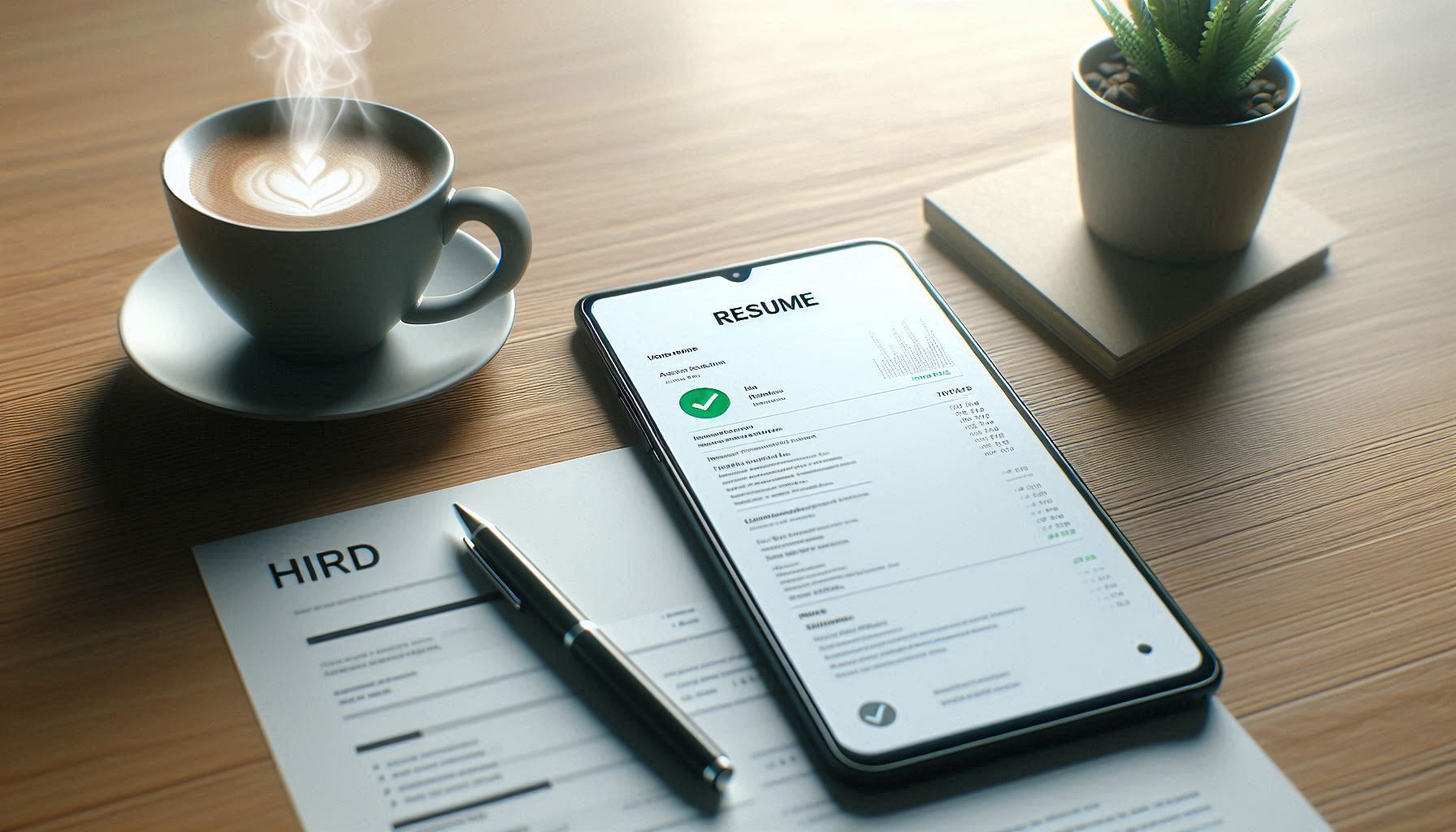
Don’t have a laptop, but need to send your resume for a job interview tomorrow? Don’t worry — you can still create and send a professional resume using just your smartphone!
We’ve all been in this situation. You open MS Word on your phone, start typing your name, and the moment you try to insert a photo—everything breaks! The text jumps here, the image moves there, and the whole resume layout collapses. 🤯
Even after spending hours trying to fix it, the resume still looks like a complete mess. The text is misaligned, the image is out of place, and the whole layout is completely broken. 😫
But don’t worry—we’re in 2026 now! You no longer need to visit a cyber café or borrow someone’s laptop to create your resume. Today, there are powerful Free AI Resume Builder for freshers tools available that let you create a professional resume right from your smartphone in just a few minutes.
Today, AI has become so advanced that it can create a highly professional resume right on your smartphone’s small screen—one that can genuinely impress HR managers.
In this guide, I’ll show you 3 powerful Free AI Resume Builder for freshers tools that work smoothly on your smartphone. And the best part? You won’t even have to write a single line yourself—AI will generate a complete professional resume for you.
So, let’s take the first step toward your dream job.
Why doesn’t the MS Word method work properly on smartphones? ❌
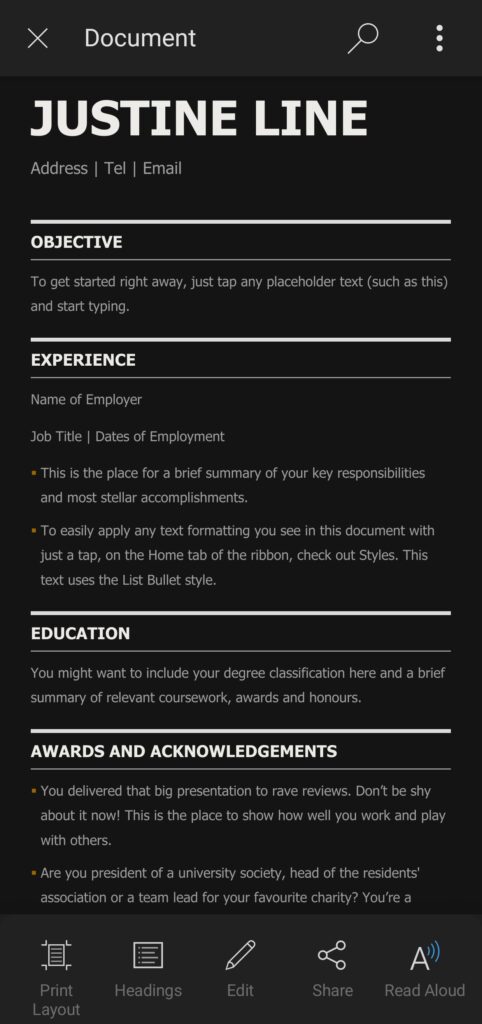
You might be thinking, “I can just create my resume in MS Word.”
Well… I thought the same. And that was my biggest mistake.
When I created my first resume on my phone, it looked perfectly fine to me. But when I sent it to HR and they opened it on their computer—everything was messed up! My photo was overlapping my name, the text was misaligned, and the entire layout was broken.
Result: Rejected.
Creating a resume on a mobile phone is really difficult because formatting simply doesn’t stay stable. But Free AI Resume Builder for freshers tools are completely different. They use professional templates where you just enter your details, and AI automatically handles the design and formatting.
So whether someone opens it on a phone or a computer—your resume always looks perfect.
1. Kickresume – Best Free AI Resume Builder for Freshers (Works Great on Mobile) ✍️
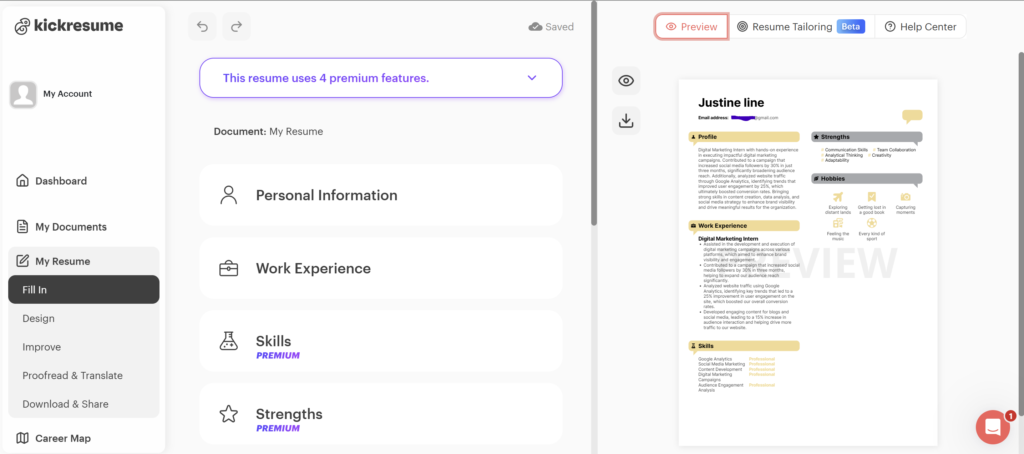
If your English isn’t very strong or you’re confused about what to write in the “Summary” section, then Kickresume is my No.1 recommendation. It doesn’t have a separate mobile app, but its website works just like an app on your smartphone browser (especially on Chrome). If you are a fresher, this Free AI Resume Builder for freshers is quite useful.
How does it work? (Step-by-Step)
- Open kickresume.com on Chrome.
- Click on New Resume.
- AI Writer: It will ask you—What is your job profile?
- I wrote: Digital Marketing Intern.
- It will automatically write a professional summary and 4-5 experience points for me. For example: Managed social media accounts… or Increased engagement by 20%…
My Experience
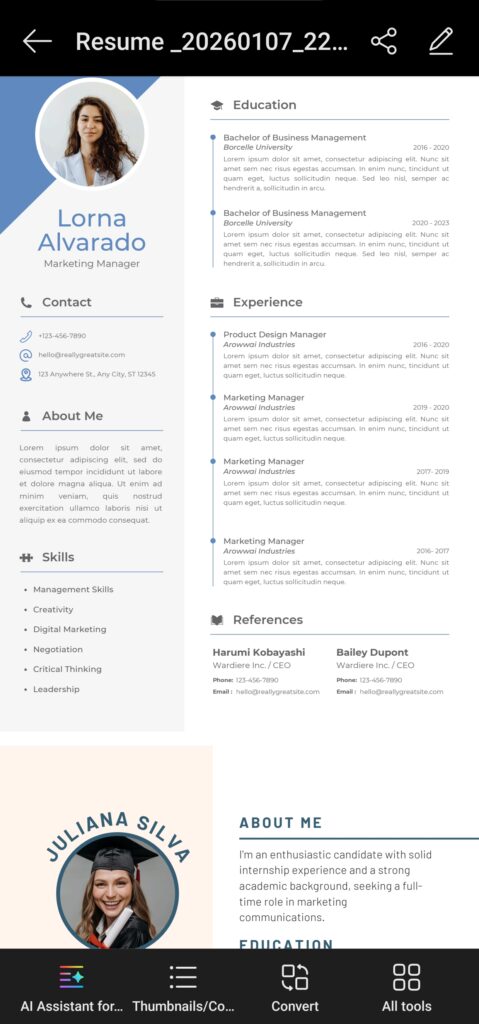
What I personally liked the most about Kickresume is its clean and professional templates. There are no flashy or distracting colors, which makes it perfect for corporate job applications.
In the free version, you can use AI up to 4 times — and trust me, that’s more than enough to create a solid professional resume.
2. Canva (App) – The King of Resume Design 🎨
If you’re entering a creative field—such as Graphic Design, Video Editing, or Social Media—a plain and boring resume simply won’t cut it. You need a resume that’s visually appealing and showcases your creative skills.
That’s where Canva comes in as a fantastic option. We all already love Canva, and now it has an AI feature called Magic Write, making it a powerful free AI resume builder for freshers. It not only helps you design your resume but also assists in writing the content intelligently.
How do I use this on my mobile phone?
- Download the Canva app (Play Store/App Store).
- Search above for Resume (or Simple Resume if you are a fresher).
- Canva will show you thousands of designs. Those without the “Pro” (crown) icon are free. Choose one of those.
- Change your photo, change your name.
- Using AI: If you need to write an “About Me” section, simply click on the text box, select Magic Write below, and type Write a short bio for a fresh graduate seeking a sales job. Canva will then write it for you.
Advantage: It’s very easy to download it as a PDF, and the quality never deteriorates.
Try Canva (Click Here)
3. LinkedIn (Resume Builder) – The easiest and fastest way 🚀
You may not know this, but the LinkedIn app on your phone actually has a hidden resume builder inside it.
If your LinkedIn profile is already set up (and if it’s not, you really should create one!), you can generate a professional resume in less than a minute.
How to do this?
- Go to your profile in the LinkedIn app.
- Click on “More” or the three dots (…).
- Select Build a Resume or Save to PDF.
LinkedIn automatically pulls all your details—like your photo, education, and work experience—from your profile and converts them into a standard professional resume format.
Who is it best for? People who have no time to design a resume and just need a simple, clean, professional resume instantly.
What should a perfect resume include? (Mobile Tips) 💡
No matter which tool you use, remember one thing—Content is King. If your content is strong, your resume automatically stands out.
So while creating a resume on your mobile, keep these important points in mind:
1. Should I include a photo or not?
- If you are applying in India, Europe, or Asia: Yes, include a professional photo. (No selfies! A clear photo taken against a plain background).
- If it’s for the US/UK: Do not include a photo.
2. Summary is the most important thing.
HR professionals only have 6 seconds. Your summary should tell a story.
- Incorrect: I need a job.
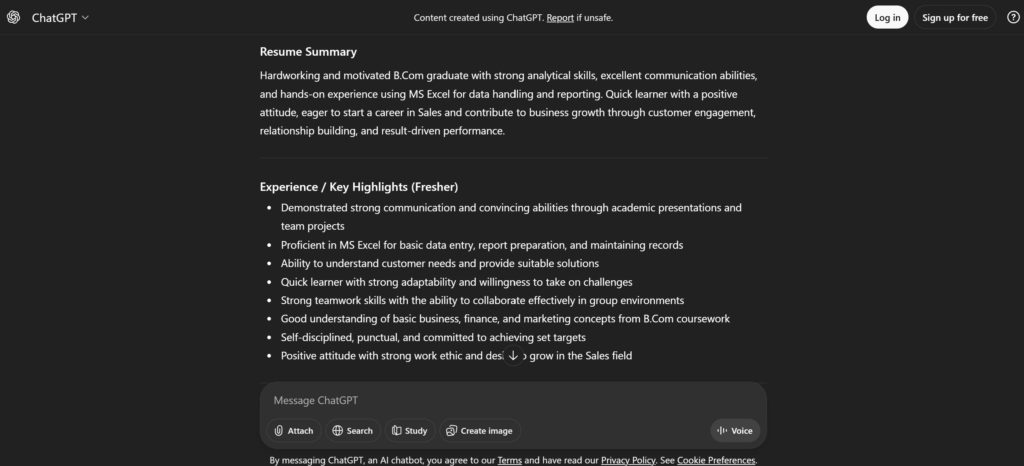
- Correct (AI one): Hardworking fresher with a B.Com degree, skilled in Excel and communication, looking to start a career in sales.
4. Resume.com (Totally Free) – No money, no hassle 🆓
The biggest problem with many apps is that after you spend so much time creating your resume, they suddenly ask you to pay when you try to download it. And honestly, that moment is really frustrating! 😡
Resume.com (or Indeed) is completely free.
- Their website is very lightweight on mobile devices.
- You can import your data directly from Indeed.
- There is no watermark when downloading.
If you want a simple, black-and-white resume that every company will accept, this is the safest option.
5. Mistakes that can get you rejected (Avoid these) 🚫
I’ve seen these mistakes in my friends’ resumes; don’t make them yourself:
- A strange email ID: cool_boy_justin@gmail.com? No way, man! 🙅♂️
- Change this to: justin.line.work@gmail.com
- Spelling mistakes: Autocorrect can sometimes make mistakes when typing on a phone. After downloading your resume, listen to it using the Read Aloud feature or send it to a friend to have them check it.
- Too many colors: Don’t use too many colors when using Canva. Blue, black, and gray are the only professional colors.
Conclusion: Make it today!
So now, the excuse of “I don’t have a laptop” doesn’t work anymore. With AI tools and powerful Free AI Resume Builder for freshers, you can easily create a professional resume right from your smartphone.
The phone in your hand is enough to conquer the world. My personal advice?
- If you are a designer/social media professional ➡️ use Canva.
- If you are a CA/Engineer/Teacher (corporate professional) ➡️ use Kickresume or Resume.com.
Take 10 minutes today and update your resume. Who knows, you might get a call tomorrow for the job you’ve been waiting for!
If you are a fresher, free AI resume builder tools for freshers can be very helpful.
Now it’s your turn: Do you face any specific difficulties when creating your resume? Do you struggle with writing the “Summary” section or find the formatting challenging? If you’re a fresher, tools like Free AI Resume Builder for freshers can really make things easier. Let me know in the comments below—I’ll help you out. I might even share a free template with you! 😉
If you want to make the best use of AI not only for creating your resume but also for your studies, then read our guide. (Best Free AI Tools for Students: Stop rote learning and study smarter in 2026)
✅ FAQs – Free AI Resume Builder for Freshers
Q1. What is a Free AI Resume Builder for freshers?
A Free AI Resume Builder for freshers is an online tool that uses Artificial Intelligence to help students or first-time job seekers create a professional resume easily. You simply enter your details, and the AI automatically designs and formats the resume for you.
Q2. Can I really create a resume using only my mobile phone?
Yes, absolutely! Most Free AI Resume Builder for freshers tools work perfectly on smartphones. You can create, edit, and download a professional resume directly from your phone without needing a laptop.
Q3. Are these AI resume builders completely free?
Many AI resume builders offer free plans where you can create and download your resume. Some platforms may have premium features, but the free version is usually enough to create a clean, professional resume.
Q4. Do HR managers accept AI-generated resumes?
Yes, HR managers do accept AI-generated resumes. In fact, most AI resume builders create clean, professional, and ATS-friendly resumes that are easy for recruiters to read and process.
Q5. Which is the best Free AI Resume Builder for freshers?
Some of the best options include Kickresume, Canva Resume Builder, and LinkedIn Resume Builder. They are beginner-friendly, work well on mobile, and offer professional templates.
Q6. Will AI help me write the “Summary” or “About Me” section?
Yes! A Free AI Resume Builder for freshers can automatically generate a professional summary for you based on your background, skills, and the job role you want.
Q7. Can I download my resume as a PDF?
Yes, most AI resume builders allow you to download your resume in high-quality PDF format, which is perfect for job applications and email submissions.
Q8. Are AI resumes ATS-friendly?
Good AI resume builders use ATS-friendly templates, meaning your resume can easily pass Applicant Tracking Systems used by companies to scan resumes.

2 Comments