How to Translate Video to Any Language? 5 Best Free AI Video Translator Tools with Lip-Sync (2026 Guide)
Introduction
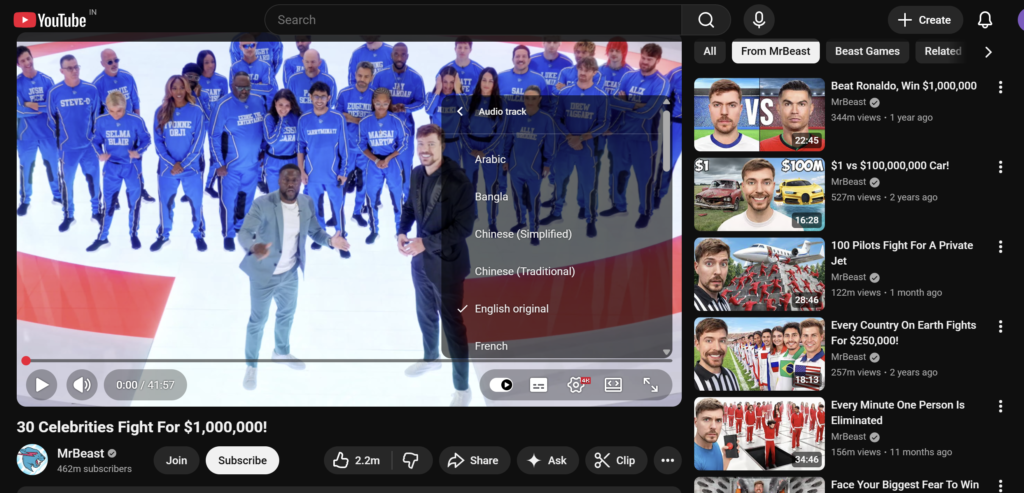
Have you ever wondered how creators like MrBeast get millions of views from countries where people don’t even speak English?
The secret isn’t just great content.
It’s localization.
Top creators don’t upload one video and hope for the best. They translate and dub their videos into multiple languages like Spanish, Portuguese, Hindi, Japanese, and more—so their content feels local to viewers around the world.
But a few years ago, this process was a complete nightmare.
You had to:
- Hire professional translators
- Pay expensive voice actors
- Manage multiple audio versions
- Spend hundreds or even thousands of dollars per video
Video translation was a luxury—something only big studios and large YouTube channels could afford.
Today, everything has changed.
Thanks to AI, even a beginner creator can now translate and dub videos globally using the best free AI video translator tools—without hiring anyone or burning money.
And that’s exactly what this blog will show you.
But welcome to 2026—the situation has now completely changed.
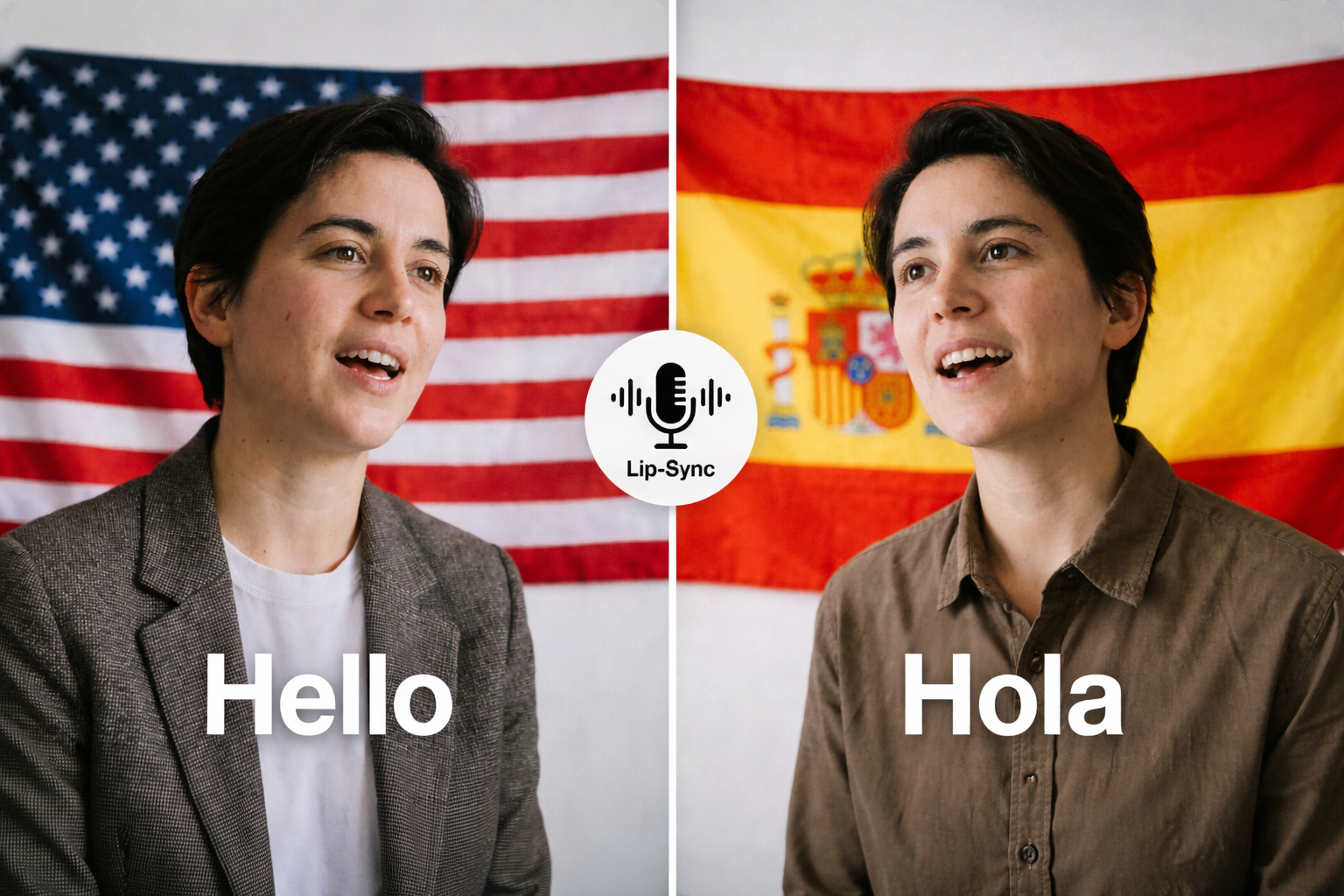
Today, you have access to the best free AI video translator tools that can do things that once sounded impossible. These tools can take your existing video, translate the audio into 50+ languages, clone your own voice, and—here’s the crazy part—perfectly sync your lips with the new language.
Yes, really.
You can upload a video recorded in English and make it look like you’re naturally speaking French, Spanish, Hindi, or Japanese—without knowing a single word of those languages.
Imagine this:
Your next YouTube video sounds fluent in French. Your course speaks Spanish. Your marketing video connects with viewers in Asia, Europe, and South America—automatically.
In this ultimate guide, I’ll show you the top 5 AI tools that are breaking language barriers for creators worldwide.
Whether you’re a YouTuber, online course creator, or digital marketer trying to reach a global audience, these tools aren’t just helpful—they’re your fastest shortcut to worldwide growth and viral reach.
Let’s dive in 🚀
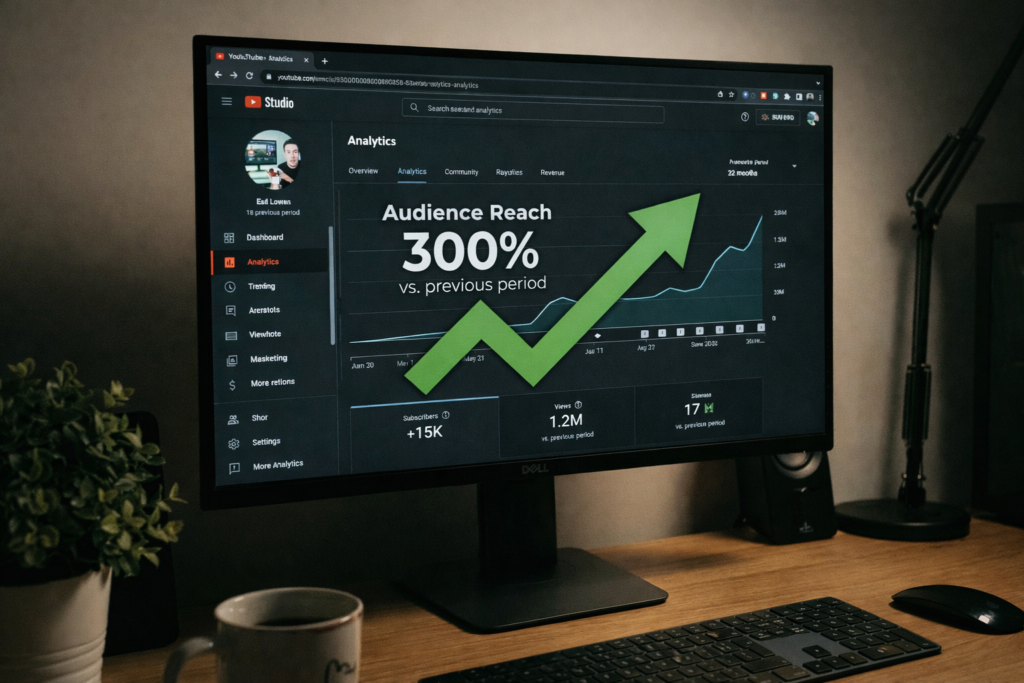
Why You Are Losing 80% of Your Views 📉
Did you know that less than 20% of the world’s population speaks English?
That means if you’re creating content only in English, you’re unknowingly ignoring almost 80% of potential viewers worldwide.
Let’s look at the numbers:
- Spanish speakers: 500 million+
- Hindi speakers: 600 million+
- Mandarin speakers: 1 billion+
And this doesn’t even include Portuguese, Arabic, French, or Japanese audiences.
Now here’s the real problem.
You might be creating amazing content, but most of the world simply can’t understand it. As a result, your videos never reach their full potential—no matter how good they are.
This is where using the best free AI video translator completely changes the game.
Instead of creating new videos from scratch, you can clone your existing content into multiple languages. The same video can be published in different countries, on different channels, and even on different platforms.
The result?
- More global views
- Higher watch time
- Multiple AdSense income streams from the same video
No extra shooting.
No extra editing.
No extra recording time.
Right now, this is the smartest work less, earn more strategy for creators who want to grow globally.
1. HeyGen – The King of Visual Lip-Sync 👑
If you want your audience to truly believe that you speak another language, HeyGen is the undisputed leader in this space.
Most AI video translator tools only change the audio (basic dubbing). And that’s where the problem starts—your lips move in English, but the sound comes out in Spanish. The result?
It looks fake… like a badly dubbed 90s Kung Fu movie.
HeyGen completely fixes this problem.
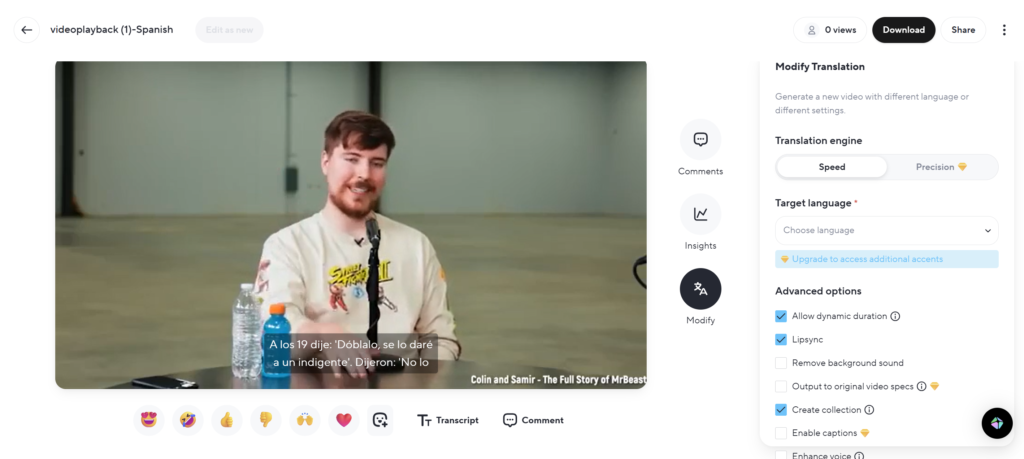
Instead of just changing the voice, HeyGen uses advanced Visual Lip-Sync AI to modify your mouth movements in the video so they perfectly match the translated language. The result looks shockingly real.
That’s why many creators consider HeyGen one of the best free AI video translator tools for realistic face-based videos.
🔑 Key Features
Voice Cloning
HeyGen samples your real voice and recreates it in another language—so the translated audio still sounds exactly like you, not a robot.
Perfect Lip-Sync (Killer Feature)
This is where HeyGen dominates. The lip movement accuracy is slightly scary—but incredibly powerful for viewer trust and engagement.
Ease of Use
No technical skills needed. Just upload your video, choose the language, and download the final result.
🆓 Free Plan Details
HeyGen works on a credit system.
- You get 1 free credit when you sign up
- Enough to translate a short clip (up to 1 minute)
- Perfect for testing the tool and seeing the quality before upgrading
🎯 Best For
HeyGen is best suited for short-form content like:
- Instagram Reels
- TikToks
- YouTube Shorts
Especially where your face is clearly visible, because that’s where lip-sync realism matters the most.
Try HeyGen AI (Click Here)
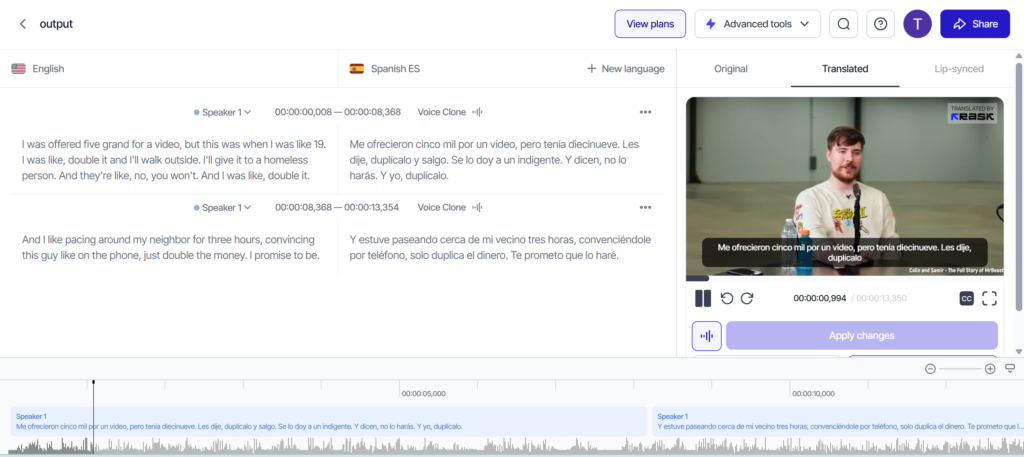
2. Rask.ai – Best for Long-Form Content 🎬
If you’re a YouTuber uploading 10–20 minute videos or a course creator with hour-long lectures, Rask.ai is built specifically for you.
Unlike many tools that focus only on short clips, Rask.ai is designed to handle long-form videos, podcasts, interviews, and educational content without breaking the flow.
What really makes Rask.ai stand out is its strong focus on voice cloning and multi-speaker handling.
If your video has two or more people talking, Rask.ai can automatically detect Speaker A, Speaker B, and translate each one using a different, consistent voice.
That’s a big deal for interviews and collaborative content—and a key reason many creators consider it one of the best free AI video translator options for serious YouTube growth.
❓ Why Use Rask.ai?
Multi-Speaker Detection
Rask.ai automatically identifies different voices in interviews or discussions and keeps them separate in the translated version.
SRT Upload Support
You can upload your own corrected subtitles (SRT files) before translation. This ensures near-perfect accuracy—especially useful for technical, educational, or niche topics.
Lip-Sync (Beta)
Rask.ai recently added a beta lip-sync feature that competes closely with HeyGen. While still improving, it already delivers impressive results for long videos.
💰 Cost & Free Trial
Rask.ai offers a free trial that lets you:
- Dub up to 3 minutes of video
- Test voice quality, translation accuracy, and workflow
This is perfect for:
- YouTube intros
- Course previews
- Short tutorials
Try Rask AI (Click Here)
3. ElevenLabs – The Most Realistic Voice AI 🗣️
You might already know ElevenLabs as one of the world’s best text-to-speech platforms. But recently, they launched something even more powerful—their AI Dubbing Studio.
What truly sets ElevenLabs apart is emotion.
Most AI voices sound flat or robotic. ElevenLabs does the opposite. It captures the tone, emotion, and energy of the original speaker and carries it into the translated language.
If you were whispering in the original video, the translated voice whispers.
If you were excited or shouting, the emotion stays the same.
This emotional realism is why many creators consider ElevenLabs one of the best free AI video translator options when audio quality matters more than visuals.
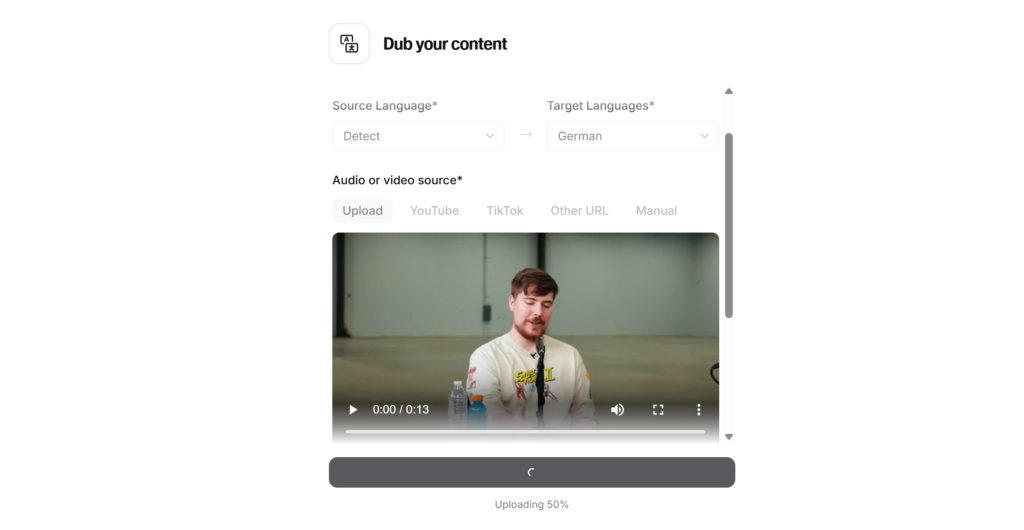
⚙️ How It Works
The process is surprisingly simple:
- Go to the “Dubbing” tab on the ElevenLabs website
- Upload your MP4 video or paste a YouTube / TikTok link
- Select the target language (for example, English → German)
- Wait a few minutes
- Download your dubbed video
No complex settings. No learning curve.
🆓 The “Free” Factor
ElevenLabs is extremely generous with its free plan.
- 10,000 characters per month
- Roughly 10 minutes of audio dubbing
- Renewed every month
This makes it one of the most beginner-friendly tools for creators who want to test AI dubbing without spending any money.
🎯 Best For
ElevenLabs is ideal for:
- Podcasters
- Storytellers
- Narrators
- Creators who prioritize natural voice and emotion over face-based visuals
Try ElevenLabs AI (Click Here)
4. Kapwing – The Editor’s Choice ✂️
Kapwing is not just a video translator—it’s a complete online video editor.
If you want to translate a video, add subtitles, remove silence, and even add background music—all from one dashboard—Kapwing is built for that exact workflow.
For creators who prefer control and editing flexibility, Kapwing stands out as a practical alternative to a pure best free AI video translator tool.
🔄 Workflow (How It Works)
Kapwing’s translation process is very beginner-friendly:
- Upload your video
- Click “Subtitles”
- Select “Auto-Translate”
- Use “Smart Dub” to generate voice from translated subtitles
What’s powerful here is control.
If the AI makes a mistake—especially with slang, names, or technical terms—you can manually edit the translated text before generating the final audio.
🆓 Free Plan Details
Kapwing’s free plan is generous, with a small trade-off.
- Adds a small watermark
- Allows unlimited auto-subtitling and translation
- Works for videos up to 7 minutes long
This makes Kapwing perfect for:
- Short YouTube videos
- Tutorials
- Social media content
- Creators who want everything in one editing tool
Try Kapwing AI (Click Here)
5. BlipCut – The Chrome Extension Hero 🌐
Sometimes, you don’t want to download software or upload heavy files.
You just want to translate a video you found online—quickly.
That’s exactly where BlipCut shines.
BlipCut is a powerful AI video translator that works directly inside your browser as a Chrome extension. It’s especially useful if you’re translating other people’s videos for:
- Reaction channels
- Educational breakdowns
- Commentary content
For many creators, BlipCut becomes the fastest best free AI video translator option when speed matters more than advanced editing.
🚀 Why BlipCut Is Different
Works in Your Browser
No software installs. No complex setup. Just open the video online and translate it.
ChatGPT-Powered Translation: BlipCut uses ChatGPT to understand slang, idioms, and context, making translations sound natural instead of literal.
Human-Like Voices: Don’t want to clone your own voice? No problem. BlipCut offers 100+ realistic voice options to choose from.
Try BlipCut AI (Click Here)
Step-by-Step Guide: How to Dub Your First Video for Free 🛠️
Ready to try it? Let’s use ElevenLabs as an example because it has the best free tier.
Step 1: Get Your Video Ready Make sure your video has clear audio. Background noise can confuse the AI.
Step 2: Sign Up for ElevenLabs Go to their website and create a free account. No credit card is needed.
Step 3: Upload to Dubbing Studio Click on “Dubbing” > “Create New Dub”. Upload your video file. Name your project (e.g., “YouTube Intro Spanish”).
Step 4: Choose Languages
- Source Language: “Detect Automatically” (or select English).
- Target Language: Select “Spanish” (or your target market).
Step 5: Generate & Review Click “Create”. It will take about 2-5 minutes depending on the length. Once done, play it. You will hear your own voice (or a very similar one) speaking Spanish!
Step 6: Download Download the MP4 file and upload it to your new YouTube channel!
Important Tips for Going Global 🌍
Before you start translating everything, keep these tips in mind:
- Check the Translation: AI is smart, but not perfect. If you are translating into Spanish, send the video to a Spanish-speaking friend (or use Google Translate to double-check key phrases) to ensure you aren’t saying something offensive by accident.
- Don’t Translate EVERYTHING: Start with your most popular videos. If a video performed well in the US, it is likely to perform well in Brazil or Germany too.
- Localize Culture: If your video mentions “Dollars,” maybe add a text overlay showing the value in “Euros.” Small details make the audience feel connected.
Conclusion: The World is Watching
The internet is no longer English-only.
In 2026, the creators who win won’t be the ones shouting louder—they’ll be the ones building bridges instead of walls.
Language is no longer a barrier. It’s an opportunity.
Using a best free AI video translator is the highest leverage move you can make right now. You create one video once—and that same effort can start earning views, subscribers, and revenue from five different countries.
That’s not working harder.
That’s working smarter.
✅ My Honest Recommendation
- Start with ElevenLabs
Perfect for beginners thanks to its generous free plan and incredibly natural voice quality. - Use HeyGen
When you’re creating short, high-impact videos like ads, reels, or sales content where lip-sync realism really matters.
The tools are here. The audience is waiting. The only question is: What language will you speak next?
Your Turn: Which language do you think has the most potential for your niche? Spanish? Hindi? Let me know in the comments!
Bonus Tip for Creators:
If you’re already using AI to translate and scale your videos globally, why stop there?
Your profile image matters just as much as your content.
I’ve also written a detailed guide on how creators are getting $200 professional headshots for $0 using AI tools.
This guide is perfect for YouTubers, freelancers, and marketers who want a premium-looking profile photo without spending money.
❓ Frequently Asked Questions (FAQ)
Q1. What is an AI video translator and how does it work?
An AI video translator is a tool that automatically translates the spoken audio of a video into another language. It uses artificial intelligence to understand the original speech, translate it into a new language, and then generate new audio. Advanced tools also clone the speaker’s voice and sync lip movements to match the translated language. In 2026, using the best free AI video translator makes global content creation fast, affordable, and beginner-friendly.
Q2. Are free AI video translators really good enough for YouTube?
Yes, many free AI video translators are surprisingly powerful. While paid plans offer longer durations and more features, free plans are perfect for testing, learning, and even publishing short content. Tools like ElevenLabs, HeyGen, and Kapwing allow creators to experience professional-level results without spending money. For beginners, the best free AI video translator is more than enough to start growing internationally.
Q3. Will AI translation hurt my channel or confuse my audience?
No, as long as you do it correctly. The key is to upload translated videos on separate channels or clearly label the language in the title and description. When done properly, AI translation actually helps your channel grow by reaching new audiences who could never understand your content before. Using a best free AI video translator expands your reach instead of confusing your viewers.
Q4. Which language should I translate my videos into first?
The best language depends on your niche, but Spanish, Hindi, Portuguese, and German are excellent starting points. These languages have massive online audiences and relatively low competition compared to English. If your video performs well in English, translating it using a best free AI video translator into these languages often brings fast results.
Q5. Is AI dubbing safe for monetization and AdSense?
Yes, AI-dubbed videos are monetization-friendly as long as you own the original content or have the rights to use it. YouTube allows translated and dubbed content, especially when it adds value for a new audience. Many creators are already earning from multiple countries by using the best free AI video translator on their existing videos.
Q6. What is better: subtitles or AI voice dubbing?
Both have their place, but voice dubbing usually performs better for engagement. Many viewers prefer listening instead of reading subtitles, especially on mobile devices. AI voice dubbing creates a more natural experience, which is why most creators eventually move from subtitles to the best free AI video translator with voice support.
Q7. Do I need technical skills to use AI video translators?
Not at all. Most modern tools are designed for non-technical users. You simply upload a video, choose a language, and download the result. Even beginners can start using a best free AI video translator within minutes without editing or AI knowledge.
Q8. Can AI translators handle slang and casual language?
Yes, especially tools that use advanced language models. Platforms powered by modern AI can understand slang, idioms, and conversational tone much better than older translation tools. Still, it’s always smart to quickly review the translation before publishing, even when using the best free AI video translator.
Q9. Is this strategy useful only for big creators?
No, this strategy is actually more powerful for small and medium creators. Big creators already have reach, but smaller creators can use AI translation to stand out in less competitive markets. With a best free AI video translator, even a small channel can get global visibility.
Q10. How fast can I see results after translating my videos?
In many cases, results appear within days or weeks, especially if you translate already popular videos. Global audiences often respond quickly because there is less content available in their language. Consistency plus the best free AI video translator can create long-term international growth.



One Comment