Best Free AI Image Generators 2026: How to create amazing photos without Midjourney? (Stop spending money now!)
Introduction
Has that ever happened to you?
You’ve probably seen some incredibly beautiful AI-generated photos on Instagram, Facebook, YouTube, or elsewhere on the internet. —Perhaps a futuristic city, or an astronaut floating in space. You might have thought, “Wow! I want to create photos like that too!”
If you try to find out what it’s made of, you’ll get the answer: Midjourney. But as soon as you try to use it, you’ll encounter two major problems.
- It’s not free (you will have to pay in dollars).
- Operating this is no less than rocket science (Discord server, commands… ugh!).
So does this mean that if you can’t spend money, you can’t generate images?
Absolutely not! There are now many free AI image generators available.
The market now has free AI image generators that are giving Midjourney serious competition. I explored and tested many popular free AI image tools recently.
In this article today, I’m going to tell you about the top 4 free AI tools. These tools are so easy to use that even a 10-year-old child can create masterpieces with them.
Do you want to create your own free AI images without spending any money? Then let’s get started.
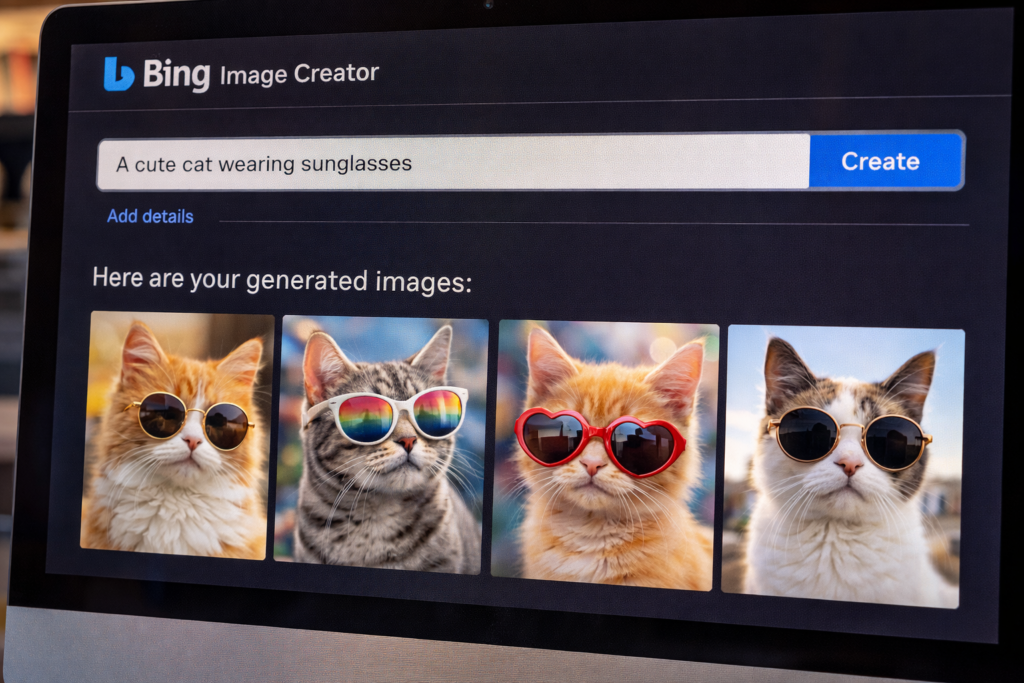
1. Bing Image Creator (Microsoft Designer) – The easiest and best 🏆
If you were to ask me, “Hey, just tell me one tool that will quietly get the job done,” my answer would be—Bing Image Creator. Visit Bing
This is a Microsoft tool, but the technology behind it is OpenAI’s DALL-E 3. Yes, the same technology that people pay for in ChatGPT Plus is available here completely free.
Why I like it? (My Experience)
I entered a prompt to test it: A farmer working on a laptop, with lush green fields in the background, cyberpunk style. Believe me, within 10 seconds it gave me four images that left me staring at the screen in amazement. The lighting, the facial expressions, everything was absolutely perfect.
Its key features:
- 100% Free: You get 15 Boosts (speed credits) to start with, which refresh every day. Even if you run out of boosts, it will still generate photos for free (just a little slower).
- Intelligence: It understands even your broken English prompts very well.
- Download: It doesn’t have any watermarks either.
How to use it? Simply go to bing.com/images/create, log in with your Microsoft account (Outlook/Hotmail), and start typing.
2. Leonardo.ai – The choice of professionals (The Midjourney Killer) 🎨
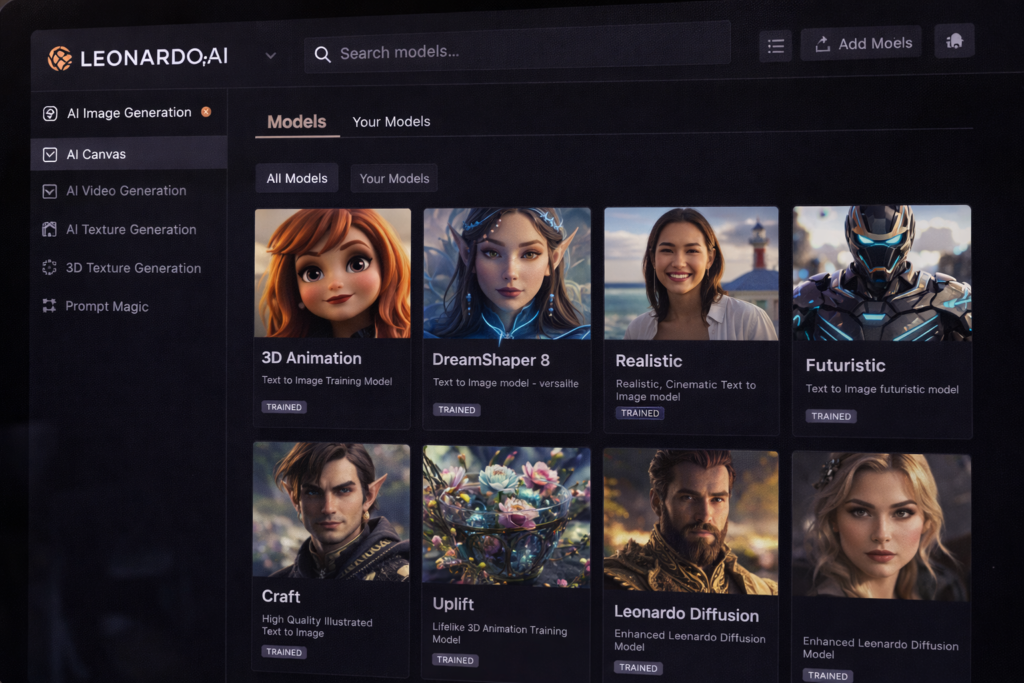
If you want a little more control than what Bing offers, then Leonardo.ai is your next stop. It’s often referred to as a “free Midjourney,” and that’s not far from the truth. Visit Leonardo
When I first saw its dashboard, I thought it was a paid software. It has so many features that make you feel like a professional digital artist. But it’s actually a paid and free AI image generators.
Why is this different from the others?
In Bing, you can only enter text, but in Leonardo, you can choose a style. Do you want a 3D animation? Or an oil painting? Or a completely realistic-looking photo? There are different models for everything.
What do you get in the free plan?
It gives you 150 tokens for free every day.
- Creating a photo costs approximately a few tokens.
- This means you can create approximately 20-50 high-quality images for free every day. And the next day? Your tokens will be reset to 150 again!
My suggestion: If you want to create gaming assets, website art, or character designs, there’s no better free tool than Leonardo.
3. Ideogram – The king of text writing (Typography King) ✍️
There was a major problem in the world of AI art. If you told a free AI image generators, “A boy wearing a T-shirt with ‘USA’ written on it,” the AI would often misspell it. It would write ‘USA’ as ‘USAAA’ or something equally strange. Visit Ideodram
But Ideogram came along and solved this problem completely.
When should you use this?
- If you need to create a logo.
- You need to design a T-shirt.
- You need to create a poster with some text on it.
- And you want to have your name written in a stylish way.
Then Ideogram is the best option for you.
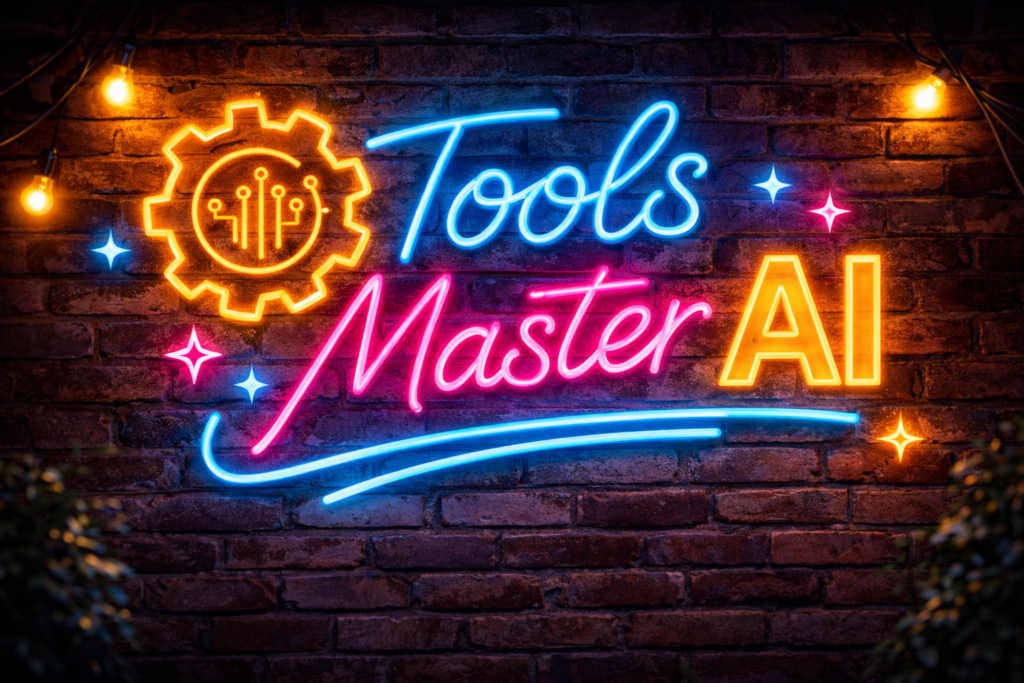
My experiment: I gave the prompt: A neon sign board on a brick wall saying ‘Tools Master AI’. The result? Perfectly clear spelling, with bright neon lights. No mistakes.
This is also a paid and free AI image generators; I mean, it operates on a freemium model, which means you get a few free generations every day, which is enough for a typical user.
4. Adobe Firefly (Web) – For photographers 📸
You’ve probably heard of Adobe (the company that makes Photoshop). Their AI tool, Firefly, is available for free on the web. Visit Adobe
Its greatest strength is realism.
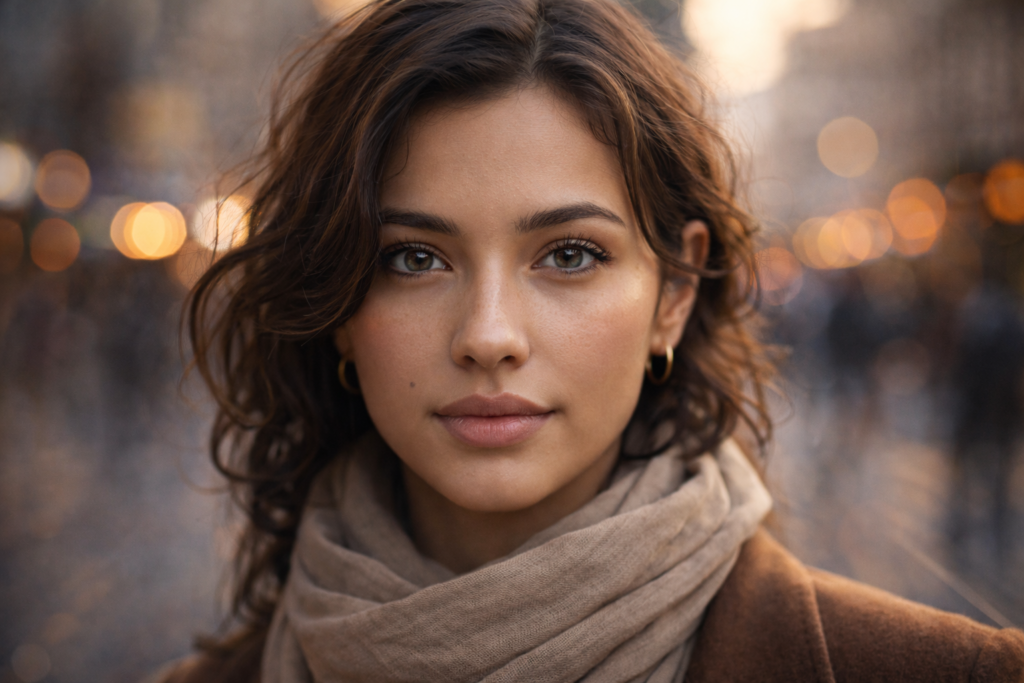
Other AI tools sometimes create images with six fingers on a hand or distort faces. Adobe Firefly is much smarter in this regard. It’s called Ethical AI because Adobe trained it on its own stock images.
What’s so special about it?
- Text to Image: It creates very natural-looking photos.
- Filters: After the photo is taken, you can change its color, lighting, and style with a single click (like Instagram filters).
- Clean: Its images are so clear that you can use them in your blog or project without hesitation.
You get 25 free credits every month. That’s not as many as Bing or Leonardo offer, but the quality is very premium.
My honest comparison after testing these 4 tool(comparison table).
| Feature | Bing Image Creator | Leonardo.ai | Ideogram | Adobe Firefly |
| Best For | Easy and fast results | Professional and game art | Text and logo | Realistic-looking photos |
| Cost | 100% Free (Unlimited) | 150 tokens/day (free) | Limited free plan | 25 credits/month |
| Quality | DALL-E 3 (High) | Very High | High (Text Best) | Photorealistic |
| Mobile App | Yes (Bing App) | Yes (iOS/Android) | Web only | Web only |
How I actually get better AI images (simple method)
No matter the tool, that lies in the “prompt.” If you simply write “A cat,” the result will be ordinary.
If you want amazing photos, use this simple formula:
Subject + Detail + Style + Lighting
- Subject (What is needed): A cute cat
- Style (Appearance): Cyberpunk style, or Oil painting, or 3D Disney Pixar style
- Lighting: Sunset lighting, cinematic look.
Full prompt: A cute cat wearing sunglasses sitting on a beach chair, Disney Pixar style, sunset lighting, 4k resolution.
I initially just typed cat, and the result was boring. When I added lighting and style, that’s when I saw a real difference.
Conclusion: Which one will you try today?
So friends, this was my list for 2025.
Now you don’t need to regret paying for an expensive Midjourney subscription. Because you have many free AI image generators options available. My advice is to try at least one of these 4 AI tools.
- If you’re in a hurry, use Bing.
- If you want to become an artist, give Leonardo a try.
- And if you want to create a logo, open Ideogram.
If I had to choose just one free tool, I would start with Bing or Leonardo — because despite being free, the results were surprisingly good.
(Also, if you want to know which free tools can help boost and grow your business, check out our guide on 5 free AI tools for beginners.)
Your turn: Have you used any of these tools before? Or is there a secret tool I’ve missed? Tell me about your favorite AI photo tool in the comments below!
❓ Frequently Asked Questions (FAQ)
Q1. What is a free AI image generator?
A free AI image generator is an online tool that uses artificial intelligence to create images from text prompts without charging money. You simply describe what you want, and the AI generates photos, illustrations, or artwork for you.
Q2. Are free AI image generators really free or just trials?
Many free AI image generator tools are genuinely free but come with daily limits like credits or tokens. Tools like Bing Image Creator offer unlimited free usage, while others reset free credits daily or monthly.
Q3. Which is the best free AI image generator in 2026?
In 2026, Bing Image Creator is considered the best free AI image generator for most users because it uses DALL-E 3, has no watermark, and works without payment. Leonardo.ai is best for professional-style images.
Q4. Can free AI image generators replace Midjourney?
For most users, yes. Modern free AI image generator tools now produce high-quality images that are close to Midjourney. For social media, blogs, thumbnails, and basic design work, free tools are more than enough.
Q5. Can beginners use free AI image generators easily?
Absolutely. Most free AI image generator tools are beginner-friendly and require no technical knowledge. Even first-time users can create amazing images in minutes.
Q6. Can I use free AI generated images for YouTube, blogs, or Instagram?
Yes, most free AI image generator tools allow usage for blogs, YouTube thumbnails, and social media. However, always check the tool’s license for commercial use.
Q7. Which free AI image generator is best for logos and text?
Ideogram is the best free AI image generator for logos and text-based designs because it generates accurate and readable text without spelling mistakes.
Q8. Do free AI image generators add watermarks?
Some tools do, but many popular free AI image generators like Bing Image Creator and Adobe Firefly provide watermark-free images that can be used for personal or professional projects.

2 Comments