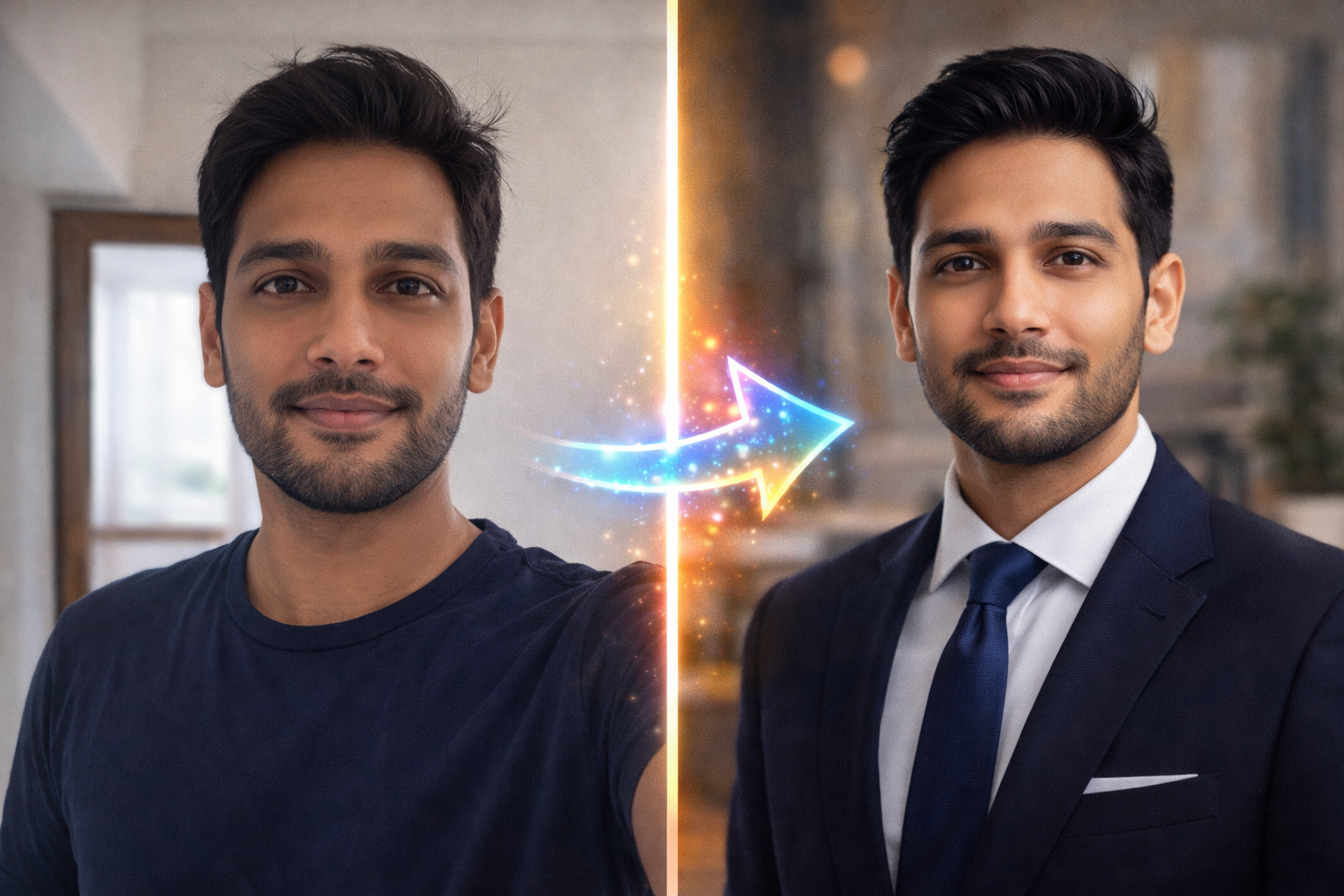
How to Get a $200 Headshot for $0? Best Free AI Professional Headshot Generator Websites (2026 Guide)
Introduction
Let’s be honest for a second.
We all know that people usually judge a book by its cover. In the professional world, you are the book, and your headshot (profile picture) is the cover.
Whether you are applying for a job in New York, updating your LinkedIn profile, or building your personal brand, having a high-quality, professional photo is no longer optional — it is essential.
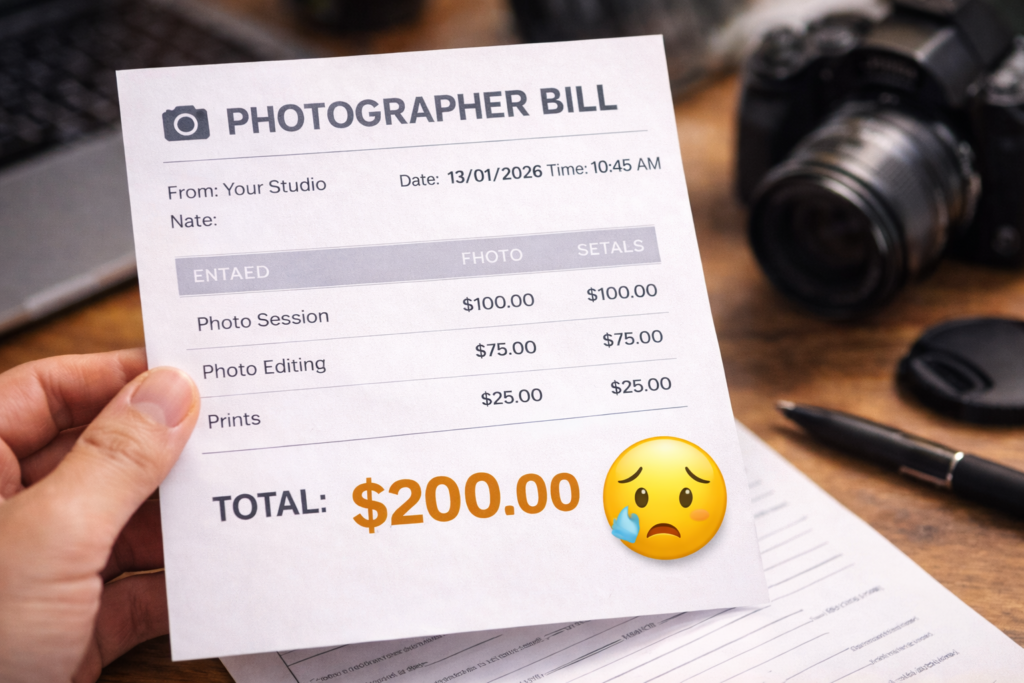
But here’s the real problem. Professional photography is expensive. In the United States, even a decent photographer can charge anywhere between $150 to $500 for a single session. That is a lot of money just to get one good picture of your face.
I was in the exact same situation last week. I needed a new photo for my website, but I did not want to spend $200. I had a few decent selfies on my iPhone, but they did not look professional enough for a serious brand.
That is when I discovered the power of AI.
Did you know there are AI tools that can take your casual Sunday selfie and turn it into a CEO-level studio headshot in just a few seconds? And the best part? You don’t even need a credit card.
In this ultimate guide, I will share the Best Free AI Professional Headshot Generator Websites and Mobile Apps that I personally tested. These tools will save you time, money, and the awkwardness of standing in front of a camera.
Ready to upgrade your career?
Let’s dive in. 🚀
Why Use AI Instead of a Photographer? 📸
Before we talk about the tools, let’s address the big question: Is AI really as good as a human photographer?
In 2026, the answer is a clear YES.
Here is why smart professionals are switching to AI:
Cost: A professional photographer can easily charge $200 or more. AI tools, on the other hand, can generate high-quality headshots for free.
Time: A traditional photoshoot takes hours — travel, makeup, lighting, and posing. With AI, you can get your photos in just a couple of minutes.
Variety: A photographer might give you 5 to 10 final photos. But a Free AI Professional Headshot Generator Website can instantly create, 50+ different versions with various backgrounds, lighting, and outfits.
If you are a student, a freelancer, or just starting your career, saving that $200 really matters. You can invest that money into learning a new skill or growing your brand instead.
1. PFPMaker – The Best Free Tool for Backgrounds 🏆
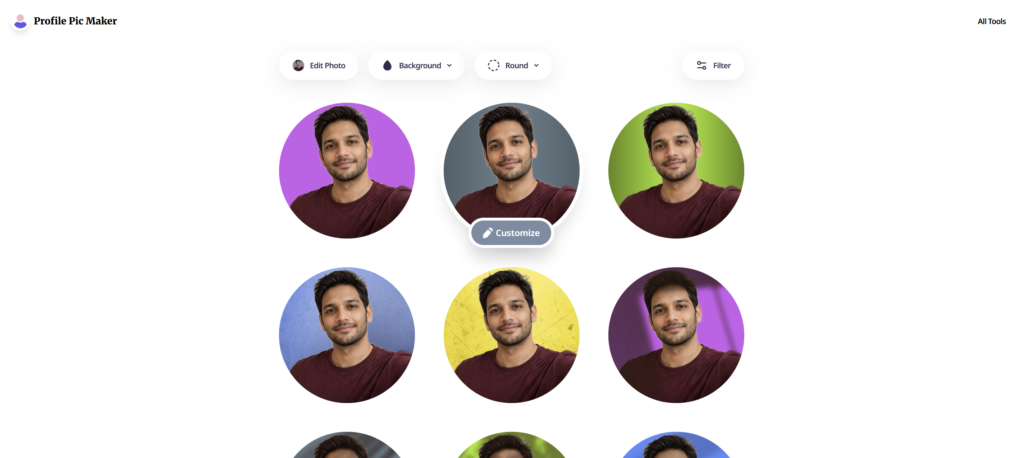
If you are looking for a tool that is 100% free and extremely easy to use, PFPMaker (Profile Pic Maker) is the king.
It does not generate a fake face from scratch — which is actually a good thing, because you want to look like yourself, not a robot.
Instead, PFPMaker takes your real photo, removes the messy background (like a bedroom or people behind you), and places you into a clean, professional environment.
How to Use It?
1. Upload: Go to pfpmaker.com and upload a clear selfie.
2. AI Magic: Within 10 seconds, the AI will remove your background perfectly.
3. Choose Style: You will instantly see your face on dozens of professional backgrounds — office blur, studio gradients, and solid colors.
4. Edit: You can also adjust lighting and shadows to make your photo look like it was taken in a studio.
My Experience
I uploaded a photo I took in a coffee shop. PFPMaker removed all the people behind me ,and placed me on a sleek dark grey background.
It looked so professional that my friend literally asked, Which studio did you go to?
Platform: Website (Desktop & Mobile)
Cost: 100% Free
Rating: ⭐⭐⭐⭐⭐ (5/5)
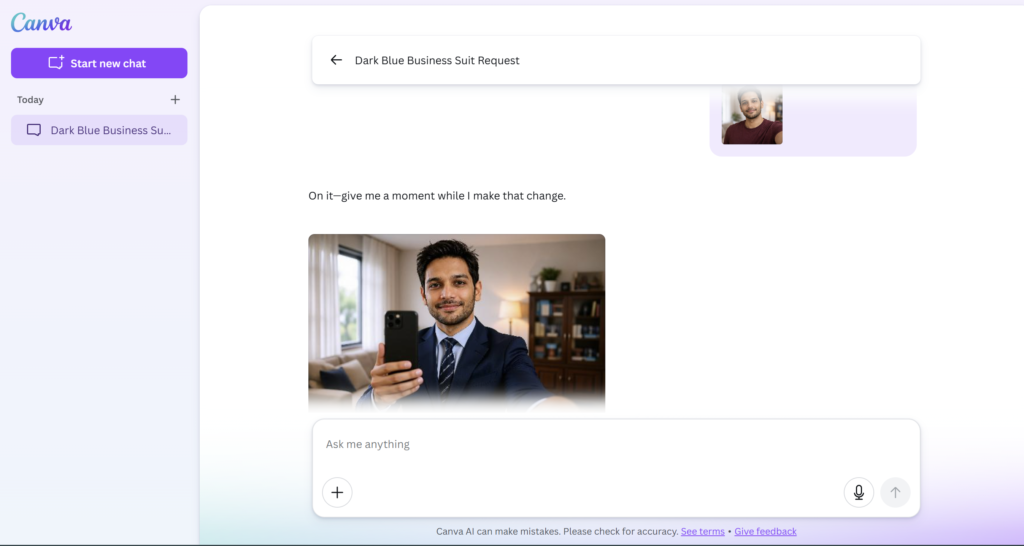
2. Canva (Magic Edit) – Change Your Clothes with AI 👔
PFPMaker fixes your background, but what if you are wearing an old T-shirt in your photo? You cannot use that on LinkedIn or a job application.
This is where Canva’s AI really shines. Most people think Canva is just a design tool, but its new AI features are incredibly powerful.
The Magic Edit Feature
Canva has a feature called Magic Edit that lets you select any part of your image and tell AI to replace it. That means you can change your clothes, background, or even your entire look.
This makes it perfect for turning a casual photo into a professional headshot.
Step-by-Step Guide
- Open Canva and upload your photo.
- Click on the image and choose Edit Photo.
- Select Magic Edit.
- Brush over your T-shirt or casual clothing.
- In the prompt box, type: Professional dark blue business suit with a tie.
- Click Generate.
Within seconds, Canva will show you four realistic versions
of you wearing a business suit. The AI automatically adjusts lighting, shadows, and fabric fit, making the result look surprisingly natural.
This turns Canva into a hidden Free AI Professional Headshot Generator Website, built right inside a design tool.
Platform: Website & App (Android & iOS)
Cost: Free (some advanced features require Pro, but many are free)
Visit Canva (ClickHere)
3. Remini (Mobile App) – Fix Quality & Enhance ✨
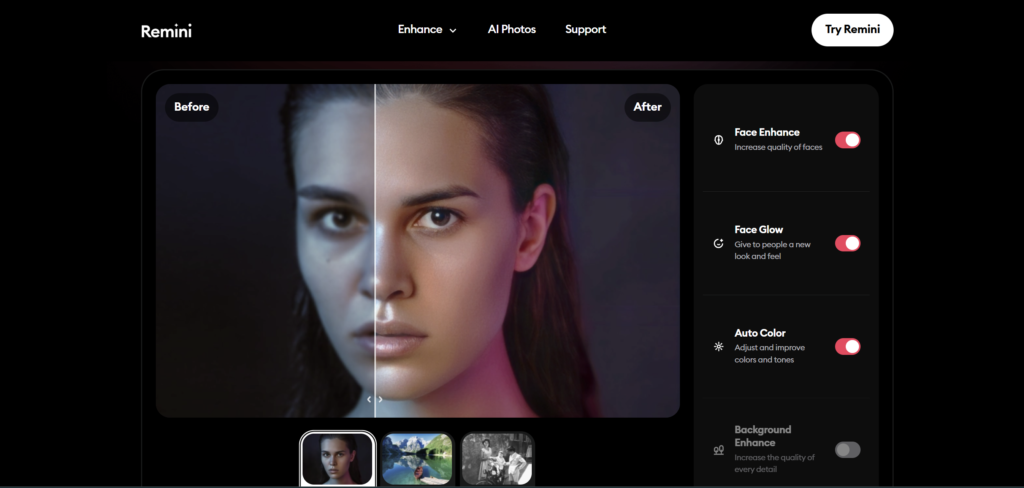
Sometimes you have a really great photo where you look good, the pose is perfect, and your face looks great, but the quality is very poor. The photo might be blurry, grainy, or taken in bad lighting.
A professional headshot must be sharp and high-resolution. Even if you use a Free AI Professional Headshot Generator Website, your final image still needs to be HD.
This is where Remini becomes essential. It is currently one of the best AI photo enhancer apps in the world.
Why Do You Need Remini?
Before uploading your photo to LinkedIn, a resume, or a portfolio,
you should run it through Remini.
Unblur: It sharpens facial details like eyes, hair, and skin texture, making your photo look much more professional.
AI Photos: Remini also offers an AI Headshot feature that can generate new professional images of you. While this feature sometimes requires a paid trial, the basic Enhance tool is free with ads and works extremely well.
My Pro Tip: The Combo Strategy
If you want a $500-quality studio headshot for free, use this simple workflow:
- Canva – Change your outfit and make it professional
- PFPMaker – Replace the background with a clean corporate look
- Remini – Enhance the final image to HD quality
This combo gives you results that are even better than many standalone Free AI Professional Headshot Generator Websites.
Platform: Mobile App (iOS & Android)
Cost: Freemium (Free with Ads)
Try Remini (ClickHere)
4. Microsoft Designer (Bing Image Creator) – Create Artistic Avatars 🎨
If you work in a creative field like a writer, designer, artist, YouTuber, or content creator, you may not want a boring suit-and-tie headshot. You probably want something more artistic, modern, and expressive.
This is where Microsoft Designer (powered by DALL-E 3) becomes a powerful Free AI Professional Headshot Generator Website for creative avatars.
What Does Microsoft Designer Do?
Instead of editing your real photo, Microsoft Designer uses AI to generate brand-new realistic characters that look very similar to you.
These images are perfect for:
- Blog author photos
- Website profile images
- YouTube and social media branding
- Personal brand visuals
It is especially useful for people who want to show a creative identity rather than a corporate look.
How to Create a Specific Look
You cannot upload your photo and keep the exact same face (yet), but you can describe your appearance in detail and let AI create a character that looks very close to you.
Prompt Example: Generate a realistic professional headshot of a young man, short brown hair, wearing glasses and a grey turtleneck, standing in a modern bright office, soft lighting, 4k resolution.
Microsoft Designer will generate high-quality, stock-photo-style headshots.
You can use these images in your blog posts (like this one), on your website, or as a placeholder until you get a real professional photo.
Try Bing Image Creator (ClickHere)
5. Adobe Express – The All-in-One Professional Tool 🛠️
Adobe is the company behind Photoshop, so you already know their AI is on a different level. Adobe Express is their free web-based tool
that competes with Canva, but for headshots, it is even more powerful.
If you have already created a photo using a Free AI Professional Headshot Generator Website and want to give it a final polished look, Adobe Express is the perfect finishing tool.
Key Features for Headshots
1. Remove Background: Adobe Express has one of the most accurate background removers in the industry. It can handle fine hair strands and soft edges much better than most other tools.
This means your photo looks like a clean, studio-cut portrait.
2. Touch Up (Heal Tool): The Heal tool lets you remove pimples, small skin flaws,
and even lightly whiten teeth. You can also smooth the skin just a little to get that natural professional finish — without making the image look fake.
If you want your photo to look like it was edited by a professional retoucher in New York, run it through Adobe Express as the final step.
It can take any image from a Free AI Professional Headshot Generator Website and make it look truly premium.
Try Adobe Express (ClickHere)
Tips for a Perfect AI Headshot (Don’t Ignore This!) 💡
Even the best AI cannot fix a terrible input photo. No matter which Free AI Professional Headshot Generator Website you use, the quality of your original photo will decide your final result.
If you want a premium, studio-quality headshot, you must follow these 3 golden rules before uploading your picture.
1. Lighting Is Key ☀️
Never use a photo taken in a dark room or one with harsh shadows on your face.
Best option:
Stand in front of a window with natural daylight falling directly on your face.
Avoid:
Yellow overhead lights — they make you look tired, dull, and older.
Good lighting helps:
- Your skin look clean
- Your eyes look brighter
- The AI capture more detail
2. Eye Contact 👀
For LinkedIn and professional platforms, looking directly into the camera builds instant trust.
If you are looking away, the photo feels casual and less confident.
Always choose a selfie where you are looking straight into the camera lens, as if you are talking to the viewer face to face.
3. Keep It Natural
When using tools like Canva to change clothes, do not go crazy with styles.
Avoid things like “golden tuxedos” or flashy outfits. They look fun but not professional.
Stick to classic colors:
- Navy Blue
- Black
- Grey
- White
These colors always look expensive, clean, and professional on any Free AI Professional Headshot Generator Website result.
Conclusion: Upgrade Your Career Image (Without Spending a Dollar)
So here is the truth — you no longer need to spend hundreds of dollars just to look successful and professional.
In 2026, technology has completely democratized personal branding. Whether you are a fresh graduate in Chicago looking for your first job, or a freelancer in London trying to attract high-paying clients, your profile photo plays a huge role in how people perceive you.
And thanks to modern Free AI Professional Headshot Generator Websites, anyone can now get studio-quality results for free.
My Recommended Workflow (The $0 Strategy)
If you want the best possible result, follow this simple four-step process:
1. Take a good selfie near a window 📸
Natural light makes your face look clean and premium.
2. Use Canva Magic Edit to add a professional outfit 👔
Turn a casual T-shirt into a business suit.
3. Use PFPMaker to add a clean studio background 🖼️
Replace a messy room with a modern corporate look.
4. Use Remini to make it sharp and HD ✨
Enhance the final image to look crisp and professional.
The entire process takes less than 15 minutes, but the result looks like a $300–$500 professional photoshoot.
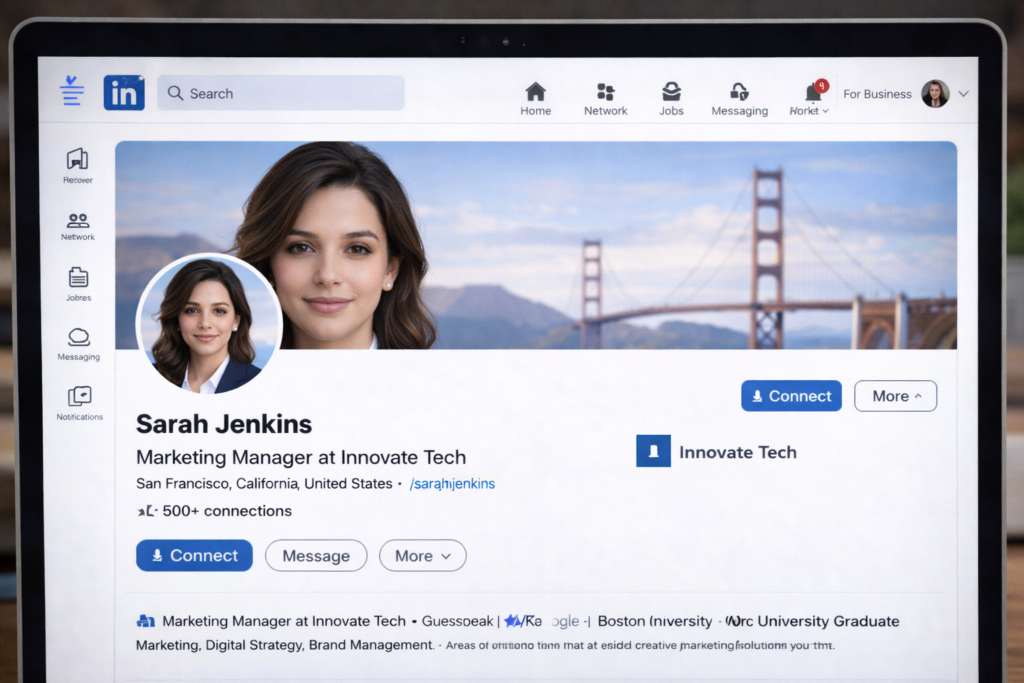
Update your LinkedIn profile today and watch how differently people start seeing you.
Your Turn
Have you tried any other Free AI Professional Headshot Generator Website? Did I miss any hidden gems?
Let me know in the comments below —
your recommendation could help thousands of readers. 🚀
[A professional headshot is only half the story. To actually get hired, you also need a strong resume. If you want to create a professional resume directly from your phone, I have written a complete step-by-step guide here: How to create professional resume from mobile? (Best Free AI Resume Builder for Freshers 2026). It shows how to use free AI tools to build a job-ready resume in minutes.]
[AI is not limited to photos anymore. Even apps like WhatsApp are now powered by AI. If you have noticed the blue circle (Meta AI) inside WhatsApp and wondered what it actually does, I have written a detailed guide on it here: WhatsApp AI Features 2026: What Is the Blue Circle? Complete Meta AI Guide. It explains how Meta AI is changing messaging, images, and productivity in 2026.]
❓ FAQs – Free AI Professional Headshot Generator Websites
1. Are AI-generated headshots safe to use on LinkedIn?
Yes. As long as the photo looks realistic and professional, AI-generated headshots are perfectly acceptable for LinkedIn, resumes, and job applications.
2. Do Free AI Professional Headshot Generator Websites add watermarks?
Most popular tools like PFPMaker, Canva, and Adobe Express do not add watermarks to their free images. Some apps may do so after a trial, but the basic free versions usually provide clean photos.
3. Can I use AI headshots on my resume?
Absolutely. If the photo looks natural and professional, you can safely use it on your resume, portfolio, and job applications.
4. What is the difference between AI headshots and studio photos?
Studio photos use professional cameras and lighting, but modern AI tools can now create very similar results from a simple selfie — without spending $300–$500.
5. Do I need to upload my real photo?
Yes. Tools like PFPMaker, Canva, and Remini work by enhancing and editing your real selfie, which helps keep the final image natural and authentic.
6. Are Microsoft Designer images safe for professional use?
Yes. You can use images generated by Microsoft Designer for blogs, websites, and personal branding, as long as you are not using them to mislead or impersonate someone.
7. Do these tools work on mobile?
Yes. Canva, Remini, and PFPMaker all work on mobile browsers and apps, so you can complete the entire process from your smartphone.
8. Can I create multiple styles from one photo?
Yes. This is one of the biggest advantages of AI. One selfie can generate 20–50 different professional looks with various outfits, backgrounds, and lighting styles.
One Comment