
WhatsApp AI Features 2026: What Is the Blue Circle? Complete Meta AI Guide
Introduction
Have you noticed something new in your WhatsApp recently?
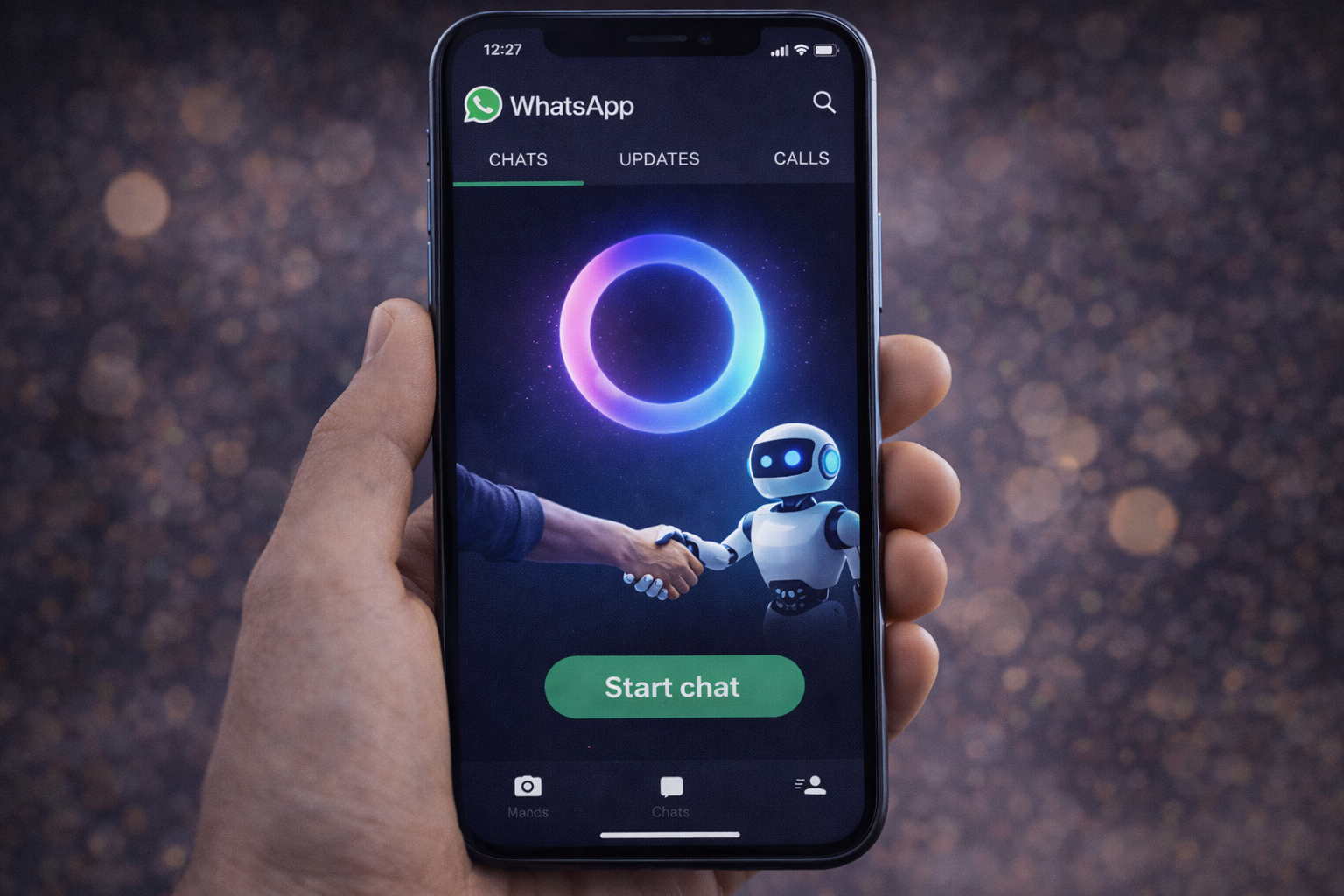
Yes — I’m talking about that mysterious blue-purple circle that suddenly appeared at the top of your Chats tab or in one corner of the screen 🔵
At first, I honestly thought WhatsApp had just changed its design.
That’s when I realized — this is not just a design update.
This is Meta AI — and this is the real beginning of WhatsApp AI features in 2026.
Friends, this tiny blue circle is one of the biggest WhatsApp AI features launched in 2026.
Mark Zuckerberg has turned your simple messaging app into a powerful AI assistant that can talk, think, search, and even help you in daily life.
it’s becoming your personal AI helper inside your phone.
Now you don’t need to go to Google.
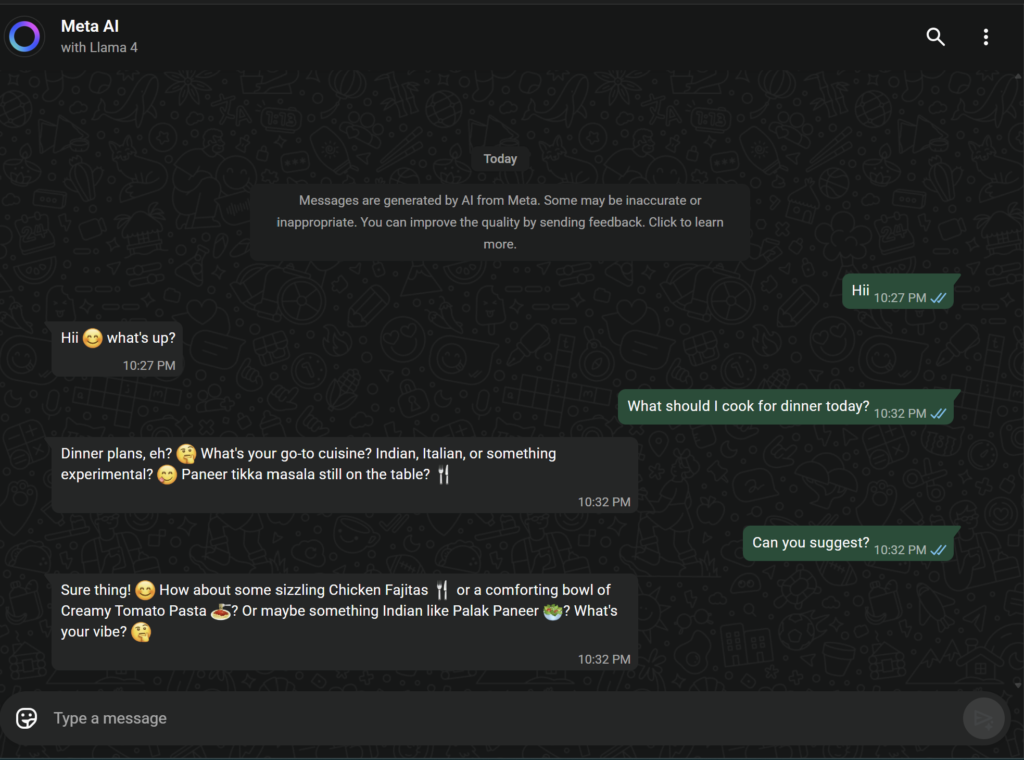
- Need a recipe? Ask WhatsApp.
- Want to create a photo? Ask WhatsApp.
- Planning a trip with friends? WhatsApp will handle it.
A lot of people are still confused — and honestly, a little worried.
- Is it safe?
- Is WhatsApp reading my private chats?
- How do I even turn this on?
These are very valid questions.
That’s why in this guide, I’m going to break down WhatsApp AI features in the simplest way possible. You’ll learn how Meta AI works inside WhatsApp, how to use it, and what kind of powerful things you can do with it.
So let’s unlock the truth behind that mysterious Blue Circle 🔓
What is Meta AI (Blue Circle) on WhatsApp? 🤔
In simple words, just like you use ChatGPT, WhatsApp now has its own built-in AI called Meta AI — and that’s exactly what the Blue Circle represents.
It runs on Meta’s powerful Llama 3 AI technology, which makes it fast, smart, and surprisingly human-like.
Earlier, WhatsApp was only for sending and receiving messages.
But with the new WhatsApp AI features in 2026, it has become your personal AI assistant.
Now you can use WhatsApp to:
- Ask questions
- Get information
- Generate ideas
- Have fun conversations
- And much more
And the best part?
It’s completely free. You don’t need to download any extra app — everything works right inside WhatsApp.

How to Activate Meta AI on WhatsApp 📲
If you don’t see the Blue Circle (Meta AI icon) on your WhatsApp yet, don’t worry. In most cases, it just means your app isn’t updated.
Here’s how to activate it:
Step 1 – Update WhatsApp
Go to the Play Store (Android) or App Store (iPhone), search for WhatsApp, and tap Update.
Step 2 – Open WhatsApp
After updating, open WhatsApp and look at your chat screen.
- On Android:
You’ll find a small round icon inside the search bar or near the bottom-right corner (close to the + button). - On iPhone:
It appears next to the search bar or near the camera icon at the top.
Step 3 – Tap and start
Tap the Blue Circle, and a new chat window will open.
Just type “Hi” — and your Meta AI is ready to help 🚀
Top 5 WhatsApp AI Features You Should Know 🔥
Now the real fun begins. The question isn’t whether Meta AI exists or not—the question is what you can do with it.
I’ve been using these WhatsApp AI features continuously for the past few days, and honestly, they transform WhatsApp into something more than just a chat app.
Here are 5 of the most useful features that every user should know 👇
1. Ask Anything (Chat & Smart Search)
Now you don’t need to open Google for every little piece of information.
Just send a message to Meta AI — just like you would ask a friend.
Let’s say you want to know:
Who won the 2022 World Cup?
Simply ask Meta AI in WhatsApp:
Who won the 2022 World Cup?
You’ll get the answer in seconds. That’s the power of WhatsApp AI features — instant, simple, and direct.
You can ask it questions like:
Tell me 5 easy ways to lose weight.
Meta AI will give you a clear answer in bullet points.
2. AI Image Generator (Imagine Feature) 🎨
One of the most exciting WhatsApp AI features is the built-in image generator.
WhatsApp is no longer just for chatting — it can now create AI images for you.
To use this feature, just tell Meta AI what you want to see.
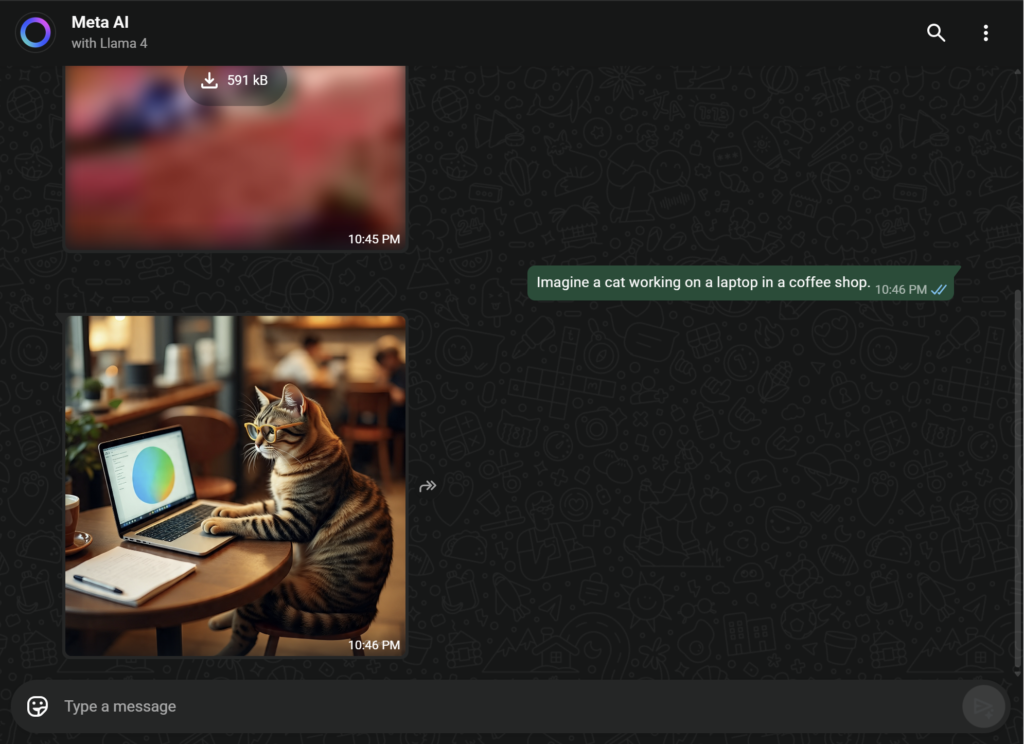
You can type /imagine or simply describe it in normal English.
For example: Imagine a cat working on a laptop in a coffee shop.
In just a few seconds, Meta AI will send you an AI-generated image based on your prompt.
You can use this feature to create:
- Birthday cards
- Greeting images
- Funny memes
- Creative social media visuals
All inside WhatsApp — thanks to these powerful WhatsApp AI features.
3. In-Chat Assistant for Groups 👥
One of the most powerful WhatsApp AI features is the ability to use Meta AI inside your group chats.
We all know how group chats go — everyone has ideas, but no one can agree on a final plan. That’s where Meta AI becomes your group’s decision-maker.
How to use it:
- Open any WhatsApp group
- Type @Meta AI in the message box
- Add your question and send it
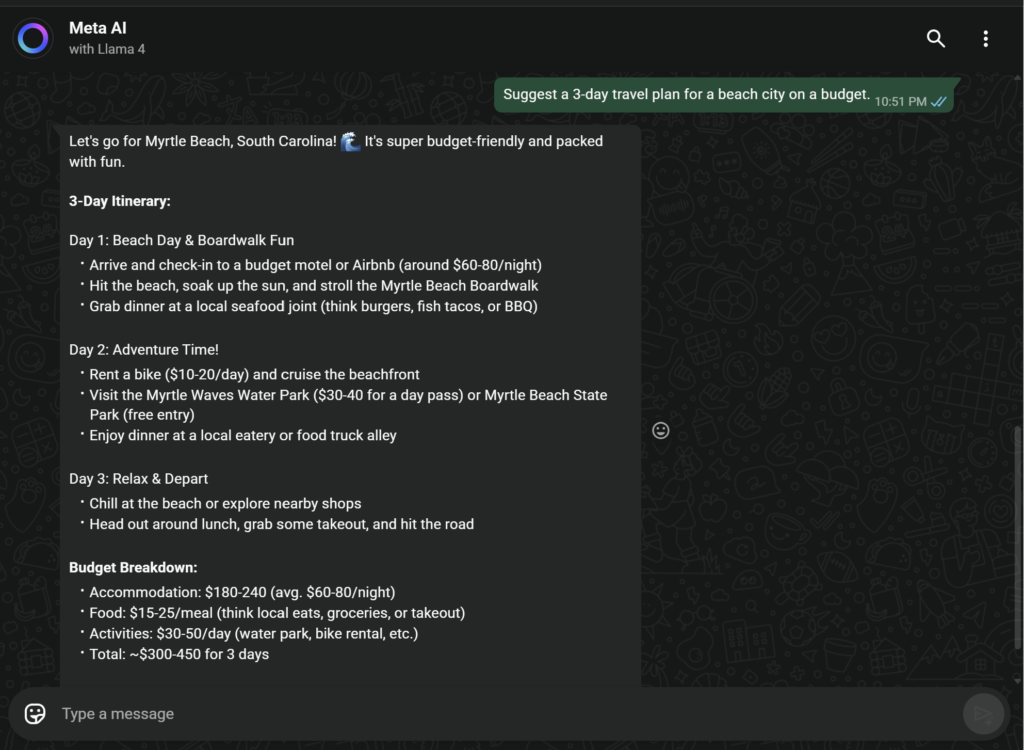
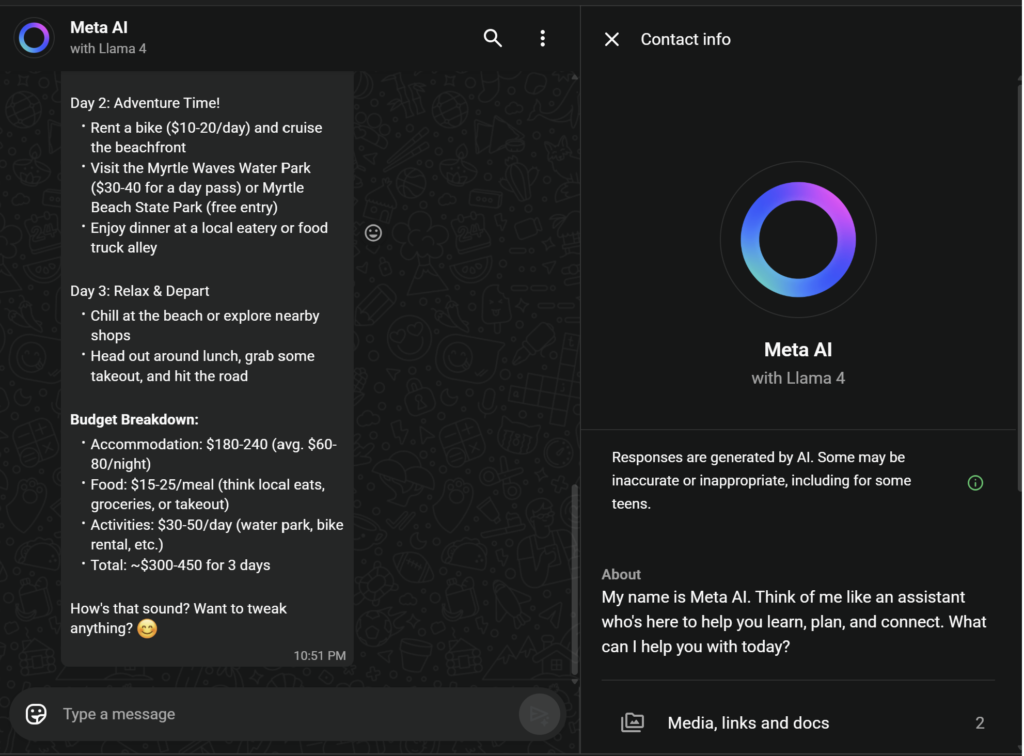
Example: @Meta AI, suggest a 3-day budget travel plan for a beach city.
Meta AI will reply in the same group so everyone can see the plan and discuss it.
You can use this feature for:
- Travel planning
- Finding restaurants
- Event ideas
- Or just making the group more fun
Thanks to these WhatsApp AI features, your group chats become smarter, faster, and way more useful.
4. Find Reels & Videos Inside WhatsApp 🎥
One of the smartest WhatsApp AI features is the ability to discover Reels and videos without leaving WhatsApp.
Since Meta owns Instagram and Facebook, Meta AI can bring the best content from those platforms directly into your chat.
For example, you can simply type: Show me funny cat videos.
Within seconds, Meta AI will display popular and trending Instagram Reels and Facebook videos — right inside WhatsApp.
No need to:
- Open Instagram
- Search manually
- Scroll endlessly
Thanks to these WhatsApp AI features, WhatsApp becomes your all-in-one entertainment and discovery app.
5. Writing Assistant for Emails & Messages ✍️
One of the most useful WhatsApp AI features is the built-in writing assistant.
It helps you write professional emails and messages without overthinking.
For example, if you need to ask for a day off, you can simply type:
Write a short professional message asking for sick leave today.
Meta AI will instantly generate a ready-to-send message for you.
Just copy it and send it to your boss, client, or colleague.
You can use this feature for:
- Work emails
- Client messages
- School or college requests
- Polite follow-ups
Thanks to these WhatsApp AI features, writing the perfect message is now easy and stress-free.
Is Meta AI on WhatsApp Safe? 🔒
This is the most important question — and a very valid one.
Many people worry:
“If I use Meta AI, can it read my private WhatsApp messages?”
The answer is no.
The new WhatsApp AI features do not read your private chats.
WhatsApp is still protected by end-to-end encryption, which means only you and the person you’re chatting with can see those messages — not WhatsApp, not Meta, and not any AI.
Here’s how it works:
- When you’re chatting with friends or family, Meta AI has zero access to those conversations.
- Meta AI only becomes active when you directly message it or mention @Meta AI in a group.
- Only the messages you intentionally send to Meta AI are processed so it can reply.
So your privacy stays protected while using WhatsApp AI features.
Just follow one simple rule:
Never share sensitive information like bank details, passwords, or personal IDs with any AI.
Meta AI vs ChatGPT: Which one is better? 🥊
You might be thinking, Why would I use WhatsApp AI when I have ChatGPT?
| Feature | WhatsApp Meta AI | ChatGPT (Free) |
| Ease | Very easy (no need to change apps) | A separate app/website has to be opened. |
| Image Generation | Yes (Free) | Yes (but limited) |
| Live Internet | Yes (Google/Bing search) | Limited |
Conclusion
For quick daily tasks, fun image creation, instant answers, and entertainment, WhatsApp AI features are incredibly useful — especially because they’re right inside your phone.
You can create images, write messages, find videos, and plan things without leaving WhatsApp.
However, for heavy work like coding, long-form writing, or deep research, ChatGPT is still more powerful and flexible.
The smartest approach is to use both:
WhatsApp AI for everyday convenience, and ChatGPT for serious, high-level work.
Don’t Like the Blue Circle? Here’s What You Can Do 🚫
Not everyone loves new changes — and that’s totally okay.
Many users, especially those who only use WhatsApp for simple chatting, are not very happy with these new WhatsApp AI features.
If you’re wondering, “How do I remove this Blue Circle?” here’s the honest answer:
Right now, WhatsApp does not provide any option to completely turn off or delete Meta AI.
You can delete the Meta AI chat from your chat list,
but the Blue Circle icon will still stay in the app.
In the future, WhatsApp might add a way to disable these WhatsApp AI features,
but for now, the only real option is to ignore it and keep using WhatsApp normally.
Final Verdict: Are WhatsApp AI Features Actually Useful?
If you ask me, my answer is simple — yes, you should definitely try it.
I’ve personally been using these WhatsApp AI features, and they make everyday tasks incredibly easy.
Whether it’s writing a message, finding information, or creating a fun image, everything happens right inside WhatsApp.
Once, I created a custom birthday image with my friend’s name in just a few seconds — and the reaction was priceless.
That’s when I realized technology isn’t something to fear, it’s something to use.
The real power of WhatsApp AI features comes when you make them part of your daily life.
So why wait?
Open WhatsApp, tap the Blue Circle, and say —
Hey, what’s up?
Visit Whatsapp (ClickHere)
If you’re already using WhatsApp AI features to create messages, images, and plans, you should also use AI to improve your career.
Today, you can create a professional resume directly from your phone — no laptop or designer needed.
If you’re a fresher or looking for your first job, this guide will help you a lot:
👉 How to create professional resume from mobile? (Best Free AI Resume Builder for Freshers 2026)
It shows how to build an ATS-friendly resume using free AI tools in just a few minutes.
❓ Frequently Asked Questions (FAQ) – WhatsApp AI Features 2026
Q1. What is the blue circle in WhatsApp and why has it suddenly appeared?
The blue or blue-purple circle that has recently appeared in WhatsApp is Meta AI, which is part of the new WhatsApp AI features introduced by Meta. This AI assistant allows users to chat, ask questions, search the internet, generate images, and get suggestions directly inside WhatsApp. Instead of opening Google or another app, you can now do most daily tasks within your chat screen itself, making WhatsApp smarter than ever before.
Q2. Is WhatsApp Meta AI free or do we have to pay for it?
Meta AI is completely free, and you don’t need any subscription or payment to use the WhatsApp AI features. WhatsApp has launched it for all users at no cost, so everyone can easily experience the power of AI. New features may be added in the future, but for now, it’s entirely free.
Q3. Does WhatsApp AI read my private chats or messages?
No, WhatsApp AI does not read your private conversations. All personal chats on WhatsApp are protected by end-to-end encryption. Meta AI only processes the messages that you intentionally send to it. Your private messages with friends and family remain completely secure and invisible to the AI.
Q4. How can I activate or start using WhatsApp AI features?
To use WhatsApp AI features, all you need to do is update WhatsApp to the latest version. After the update, a blue circle will automatically appear in your chat list. Tapping on it will open a chat with Meta AI, and you can immediately start asking questions or using the features. No separate app or setup is required.
Q5. Can WhatsApp AI generate photos and images?
Yes. One of the most powerful WhatsApp AI features is image generation. You can type prompts like “Imagine a cat playing cricket” and Meta AI will create AI-generated images for free.
Q6. Can Meta AI work inside WhatsApp groups?
Yes, you can use Meta AI inside group chats by tagging @Meta AI. This is one of the most useful WhatsApp AI features for trip planning, suggestions, and group decisions.
Q7. Is WhatsApp AI better than ChatGPT?
WhatsApp AI is best for quick tasks, image generation, and daily help inside WhatsApp. ChatGPT is better for deep research and coding. Both tools serve different purposes.
Q8. Can I remove or disable the WhatsApp AI blue circle?
Currently, WhatsApp does not allow users to completely remove Meta AI. You can delete the chat, but the blue circle icon will remain.





2 Comments