10 Best Free AI Chrome Extensions That Will Do Hours of Work in Minutes (Ultimate Guide)
Introduction
Sometimes it feels like there are 50 tabs open in the browser, my brain is completely overloaded, and the work just keeps piling up, never seeming to end.
We’ve all been through that phase.
In today’s digital life, we spend most of our time on Google Chrome—or any other browser. Whether it’s writing emails, doing research, learning something new, or simply watching videos… everything happens right here.
But just imagine… what if I told you that your browser isn’t just a tool for using the internet, but could actually become a kind of “supercomputer”?
Absolutely right… In 2026, AI Chrome extensions have truly revolutionized the way we work. There’s no longer any need to constantly open the ChatGPT website. The AI is right there with you, directly in your emails, Google Docs, and even while you’re watching YouTube videos.
Over the past few months, I’ve tried out several browser extensions. Some were completely useless, some slowed down my system… but I also found a few that genuinely made things easier and increased my productivity.
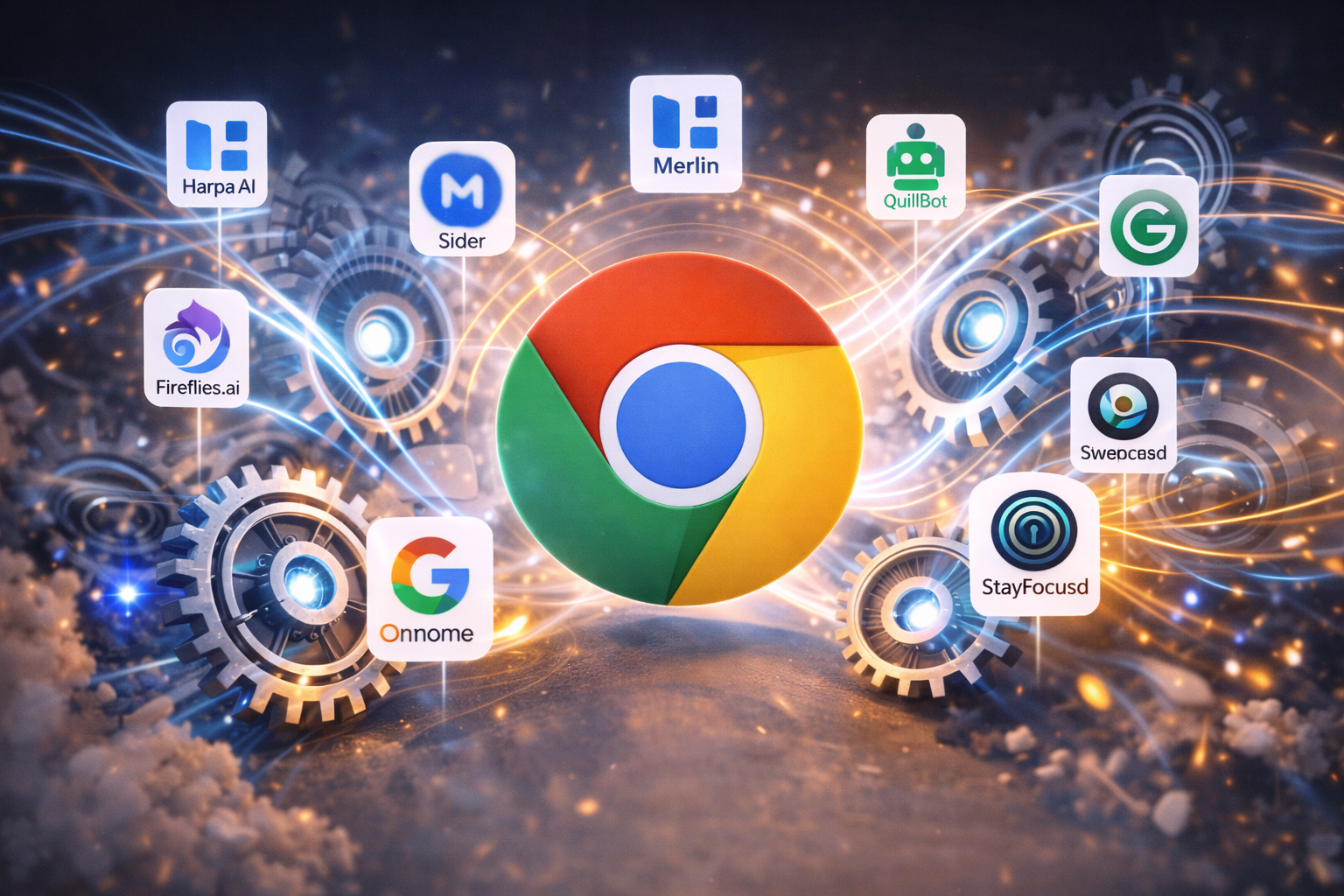
In this comprehensive guide, I’m going to share 10 free AI Chrome extensions that have truly boosted my productivity. Whether you’re a blogger, a student, or a business professional, these tools can transform the way you work.
So, are you ready to give your browser superpowers? Let’s get started without wasting any time.
1. Harpa AI – Your Personal Web Assistant 🤖
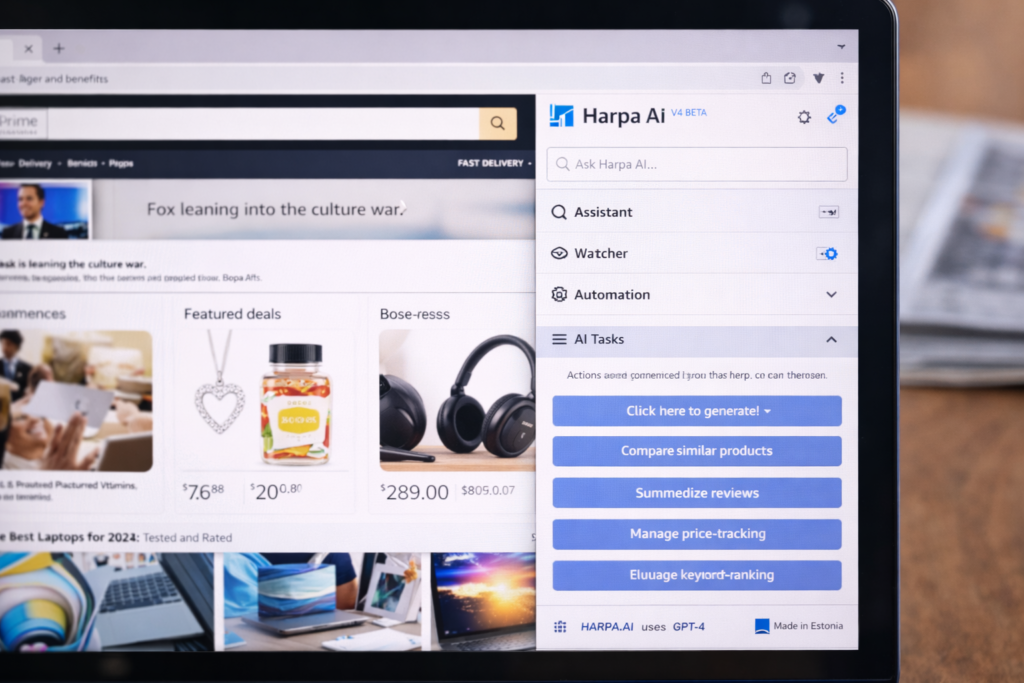
If I could only have one extension, I would choose Harpa AI without hesitation—because among all the AI Chrome extensions out there, it’s not just an AI, but a smart system that makes everything easier right inside your browser.
What does it do?
This is a kind of ‘hybrid’ AI—one that not only understands what’s on a web page but can also interact with it in real time, thanks to powerful AI Chrome extensions that make your browser truly smart.
- Price Tracking: Are you waiting for a phone to go on sale on Amazon? Just tell Harpa—it will notify you instantly as soon as the price drops.
- Website Monitoring: If any changes occur on a website, Harpa automatically detects them and notifies you of the updates.
- SEO & Writing: It can easily understand from reading any blog post how good its SEO is and how it can be improved.
My experience
I use it to keep an eye on my competitors. I simply give it a command to notify me immediately whenever my competitor publishes a new article… and believe me, it works flawlessly. It’s as if it’s constantly live on the internet, monitoring everything. Sometimes, it honestly feels even smarter than ChatGPT, because it’s continuously connected to the real-time internet and catches every new update.
- Price: Freemium (the free version is sufficient).
- Rating: 5/5 ⭐
Try Harpa AI Extension (Click Here)
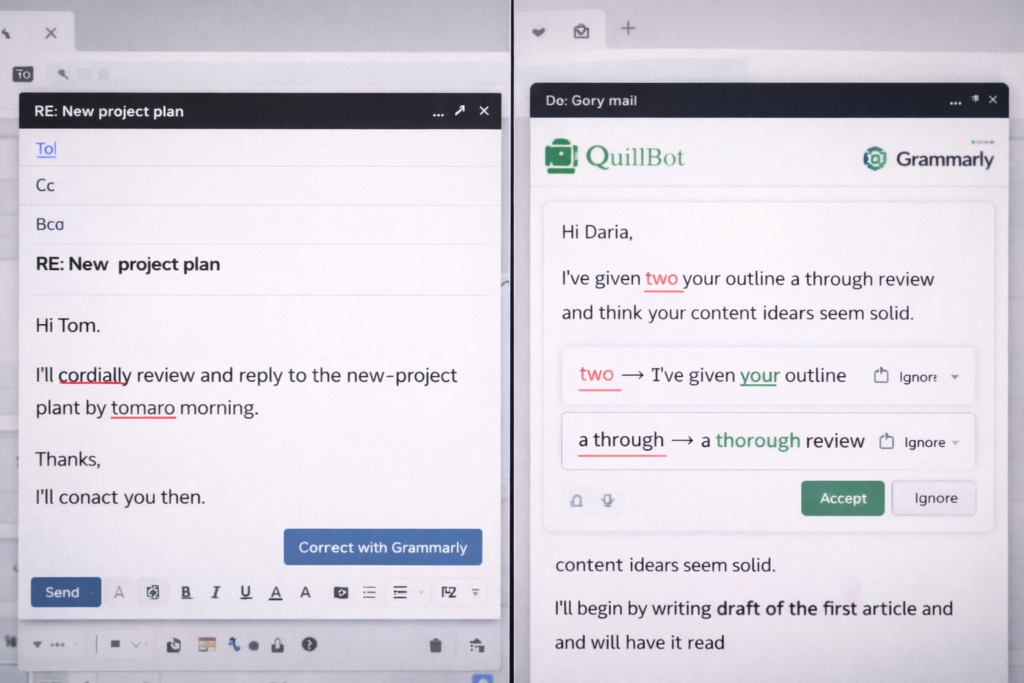
2. Grammarly GO – Your smart friend for learning English ✍️
We all feel quite confident writing in American English, but when it comes to ‘professional English,’ we often hesitate. Thoughts race through our minds: Should I use ‘in’ or ‘on’? Is this sentence polite, or does it sound too rude? Thankfully, with powerful AI Chrome extensions available today, we now have smart tools that can guide us, correct us, and help us sound more professional without the stress.
For years, Grammarly has been helping us, but now Grammarly GO (its AI version) has taken the entire writing experience to a new level. It not only corrects grammar but also takes care of tone, clarity, and presentation—ensuring your English is not just correct, but also professional, clear, and impactful.
Now it’s not just about spelling, it’s about much more than that.
Previously, it only showed a red line (indicating an error). Now, it can also write for you.
- Tone Detector: This tells you whether your email sounds “angry” or “polite.”
- Rewrite: If you’ve written a poorly worded sentence, just one click will transform it into Shakespearean English.
Who should use it?
If you send emails to clients or work as a freelancer, this is incredibly important for you. Often, we send emails in a hurry, and even a small grammar or wording mistake can become a big problem. Such minor errors can sometimes damage your reputation, raise questions about your professionalism, and even cost you a major deal. That’s why using the right tools like AI Chrome Extensions for smarter writing and better communication becomes extremely helpful. Clear, proper, and impressive communication is absolutely essential in today’s world.
3. YouTube Summary with ChatGPT – No time to watch the video? ⏩
We all go to YouTube to learn, but who has the time to watch a 45-minute tutorial?
These AI Chrome extensions have become a huge time-saver for me. They make a lot of my work easier, reduce mental strain, and help me get things done much faster.
How does this work?
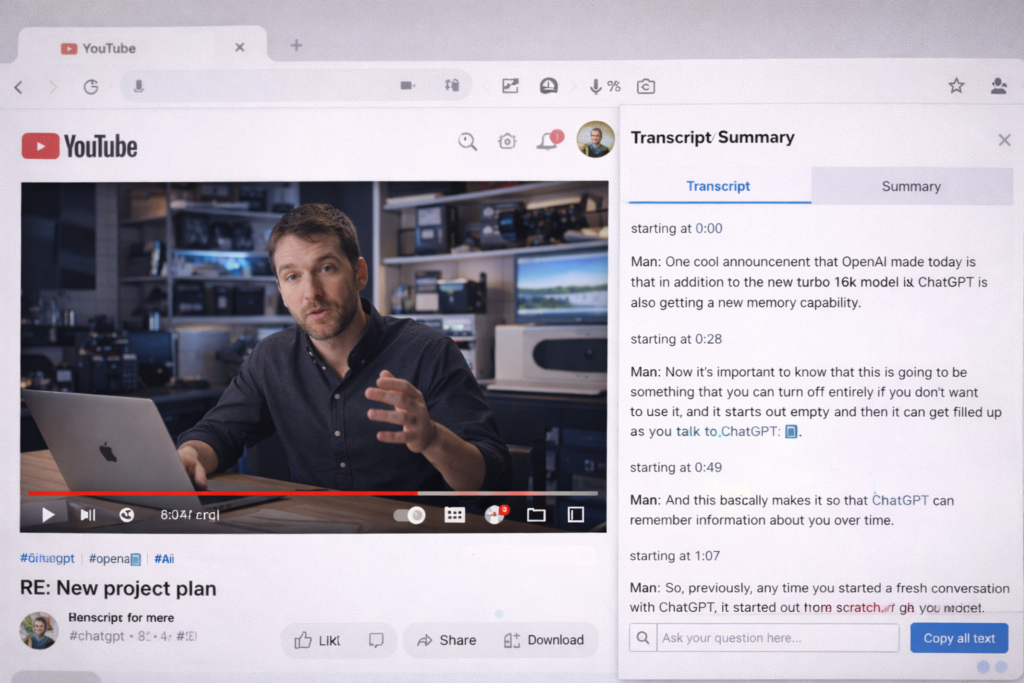
As soon as you play a YouTube video, this AI Chrome extension automatically opens a small smart box on the side.
- Transcript: This converts everything spoken in the video into text.
- Summary: Simply press the AI button, and it will provide a complete summary of a 1-hour video in 5 bullet points.
My experience
I mainly use it for podcasts. Instead of watching long videos, I just let AI Chrome extensions generate quick summaries and then I note down the key points. What usually takes an hour now gets done in just 5 minutes!
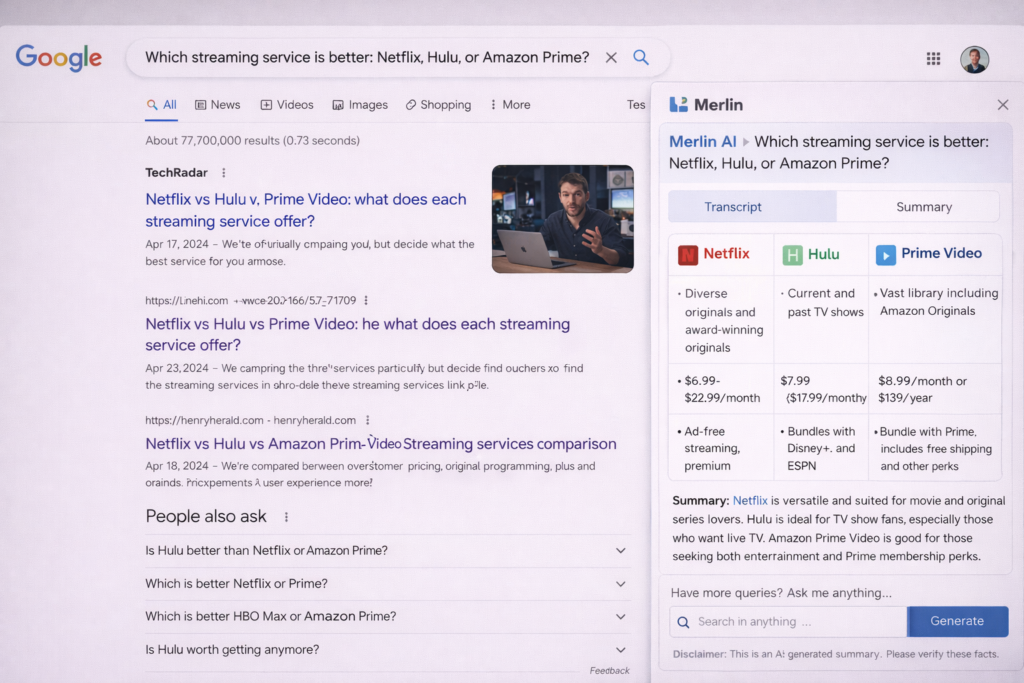
4. Sider (or Merlin) – ChatGPT on every website 🌐
Do you have to switch tabs every time you want to use ChatGPT? Let’s be honest, it’s quite annoying.
But Sider eliminates all that hassle. It’s always available on the side of your browser. No matter which website you’re on—simply press Ctrl + P, and Sider instantly pops up, ready to assist you.
Its amazing features
- Chat with PDF: Have a large, boring, or incomprehensible PDF? Just open it and ask Sider, “What does this say?” It will easily summarize the content and explain it to you in simple language.
- Image Generator: If you need a creative image, there’s no need to visit different websites. Sider provides powerful AI tools like DALL-E 3 and Midjourney right within the application. Simply write your prompt and see the results.
- Select & Explain: Having trouble understanding a difficult word or line on a website? Select it and ask Sider—it will explain it to you in simple language instantly.
Simply put, I use it as my Research Assistant + Personal Helper.
No need for the hassle of switching tabs, no time wasted—everything happens in one place.
5. Quillbot – The smart way to copy and paste 🦜
Let’s be honest. We all sometimes take content from the internet. But copying it exactly is plagiarism, and Google detects it.
This is where Quillbot comes in. It’s a paraphrasing tool that rewrites your content in a new way, using different words, without changing the original meaning.
What does it do?
You can insert any paragraph into it, and it will completely change the words without altering the meaning.
- Original: The cat sat on the mat.
- Quillbot: nThe feline rested upon the rug.
In other words, the message is the same, but the writing style is completely new.
This is a truly useful tool for content writers, bloggers, and students. Among the many AI Chrome extensions available, QuillBot stands out because it helps make your content plagiarism-free, smoother to read, and more professional. The best part is that its free version also works quite well, making it perfect for basic paraphrasing and rewriting.
Try Quillbot AI Extension (Click Here)
6. Fireflies.ai – Meeting recorder 📝
Do you conduct meetings on Zoom or Google Meet? Often, after a meeting, we forget things like, What did the boss say? or What was the deadline?
Fireflies.ai comes in handy at that moment. It quietly joins your meeting, like a silent observer, and listens attentively to the entire session.
Its features:
It records the entire meeting, transcribes it into text, and sends you an email 5 minutes after the meeting ends with the following message:
- What was discussed at the meeting?
- Who promised to do what? (Action Items)
If you work online, have meetings with clients, or run a business, this tool will truly make you look incredibly professional. No more worrying about forgetting things or the hassle of taking notes—everything is handled automatically.
7. Perplexity AI – Better search than Google 🔍
When you search for something on Google, you get a ton of links. Then you have to sift through them to find the right information, open different websites, scroll through them… basically, half your time is wasted on this hassle.
But Perplexity AI makes this whole process much easier. Think of it this way—it’s not just a “search engine,” but a kind of smart answer engine. It’s like combining the power of Google with the understanding of ChatGPT to create a whole new kind of intelligence.
How is this different?
When you ask Perplexity a question, for example —
“Best phones under $500 in America”,
it doesn’t just give you links. It actually reads multiple websites, compares the information, understands it… and then gives you a clear, concise, and direct answer.
The best part is that it also shows the source links for all the information, so you can verify it yourself if you want. This builds trust and saves time.
To be honest, I now use Perplexity more than Google for research, because it provides answers quickly, clearly, and intelligently.
8. AIPRM for ChatGPT – Ultimate Collection of Best Prompts 💎
Do you sometimes feel like you can’t get the right answer from ChatGPT? Are you unsure which prompt to use or how to phrase your questions—and the results are just mediocre?
AIPRM is an extension that completely transforms your ChatGPT dashboard.
AIPRM is a browser extension that completely levels up your ChatGPT experience. Once installed, it provides you with a wealth of ready-made prompts created and tested by experts from around the world.
What do you get in this?
It contains over 4000 “pre-made prompts” created by experts from around the world.
- Blog Post Generator: Simply enter your topic and get a complete, SEO-ready blog article. No research hassle, no worries about the structure.
- YouTube Script: Engaging and almost “viral-ready” scripts in just one click, which you can simply read and record.
- Coding Helper: If there’s an error in the code or the logic is difficult to understand, AIPRM’s coding prompts can be quite helpful.
The best part?
- It’s easy to use
- Perfect for beginners
- And yes, it’s free too
Simply put, if you don’t know how to get the best output from ChatGPT, then AIPRM acts like a truly smart friend for you.
9. Wiseone – A new way to read 📖
We often come across articles on the internet with language so difficult that we can barely understand half of it. In such situations, Wiseone acts as your “reading partner.”
How does this work?
When you’re reading an article, Wiseone understands which words or points might be difficult to understand. It automatically underlines them. Now all you have to do is hover your mouse over them—and you’ll instantly get a simple explanation, without having to Google anything or waste any time.
If an article is too long and you’re short on time, simply tap “Summarize,” and it will present all the information in 2-3 easy-to-understand lines. No more lengthy paragraphs, just the essential points.
The best part is that it not only helps with reading, but it also checks information from various reliable sources to verify whether what you’re reading is accurate or not. This means it protects you from fake or confusing information.
10. StayFocusd – Break your social media addiction 🚫
This last tool isn’t AI, but it’s perhaps the most important for staying productive.
The truth is, no matter how powerful your AI tools are, it’s all pointless if you spend your entire day engrossed in Instagram Reels, YouTube, or Facebook.
This is where StayFocusd comes in. It helps you take control of your time and attention. You can set it to something like, I only want to use Facebook for 10 minutes. As soon as the 10 minutes are up, it automatically blocks the site. No matter how hard you try, you won’t be able to open it again.
Yes, it’s a bit strict… but if you really want to achieve something big, this strictness is necessary.

Conclusion: Where to begin?
So, friends, this was my Productivity Toolkit for 2026.
I know, seeing 10 tools all at once can be a bit overwhelming—you might wonder which one to install and where to even begin. But don’t worry! Here’s a little piece of advice: don’t rush to install everything at once. Otherwise, your browser will crash… and so will your brain!
It’s best to start slowly. Use 1 or 2 tools first, understand them, and then add more as needed.
Here are my top 3 recommendations from these 10 free AI Chrome extensions that you can start using today:
- 1. Harpa AI – If you want a tool that can handle almost everything.
- 2. YouTube Summary — If you frequently watch videos and want to save time.
- 3. Grammarly – if you spend most of your time writing and want to improve your writing skills.
The purpose of these tools isn’t to make you “lazy,” but to save you time — so you can focus on the things that are truly important, the things machines can’t do yet… like creativity, new ideas, and real thinking.
Now it’s your turn: Do you already use any of these extensions?
Or do you have a powerful tool that should have been on this list? Let me know in the comments below, I’d love to try it!
And if you want to make your work even faster, be sure to read this blog as well:
( 3 Best AI Presentation Makers : Stop Wasting Hours Creating PPTs )
In it, you’ll find AI tools that will make creating presentations super easy.
❓ Frequently Asked Questions (FAQ)
Q1. What is an AI Chrome extension?
An AI Chrome extension is a browser tool that uses artificial intelligence to help you work faster directly inside Google Chrome. It can write emails, summarize videos, generate content, improve grammar, analyze websites, and automate tasks—without switching tabs.
Q2. Are AI Chrome extensions free to use?
Yes, many popular AI Chrome extensions are free or offer a freemium plan. Tools like Harpa AI, Grammarly (basic), QuillBot, and YouTube Summary provide enough features in their free versions for daily productivity.
Q3. Are AI Chrome extensions safe and secure?
Most trusted AI Chrome extensions follow standard privacy and security practices. However, you should avoid sharing sensitive information like passwords or banking details. Always install extensions from the official Chrome Web Store.
Q4. Do AI Chrome extensions slow down the browser?
If you install too many extensions at once, your browser may slow down. The best approach is to use only 1–2 AI Chrome extensions that match your needs and disable the rest.
Q5. Which AI Chrome extension is best for productivity?
There is no single best AI Chrome extension for everyone because productivity needs differ from person to person. If you want an all-in-one assistant that can handle research, monitoring, and writing tasks, Harpa AI is a great choice. For people who write emails, blogs, or professional messages daily, Grammarly GO works best. And if your work involves research, summaries, or understanding complex content, tools like Sider or Perplexity AI are more useful. In simple words, the best AI Chrome extension is the one that matches your daily work and helps you save the most time.
Q6. Can AI Chrome extensions replace ChatGPT?
AI Chrome extensions don’t fully replace ChatGPT, but they make it more convenient. Instead of opening ChatGPT separately, these tools bring AI directly into websites, emails, PDFs, and YouTube.
Q7. Are AI Chrome extensions useful for students and bloggers?
Absolutely. Students use AI Chrome extensions for summaries, explanations, and note-making. Bloggers use them for writing, paraphrasing, SEO analysis, and content ideas—saving hours of work.
Q8. Can AI Chrome extensions summarize YouTube videos?
Yes. Tools like YouTube Summary with ChatGPT can convert long videos into short summaries, bullet points, or transcripts—making them one of the most useful AI Chrome extensions.
Q9. How many AI Chrome extensions should I install?
It’s best to start with only 1–2 AI Chrome extensions. Once you understand them and feel the need for more, you can gradually add others.
Q10. Will AI Chrome extensions make people lazy?
No. AI Chrome extensions are designed to save time, not replace thinking. They handle repetitive tasks so humans can focus on creativity, decision-making, and meaningful work.




2 Comments