
5 Best Free AI Tools 2026 That Can Give Your Business a Massive Boost (At No Cost)
If you are a small business owner, a freelancer, or someone who has just started their online journey—whether in fitness or gym, weight loss, furniture, pets and animals, digital products, dropshipping, or reselling—let me ask you one honest question:
What is the biggest thing you lack right now?
Money? Maybe.
But for most people, the real shortage is something far more valuable—time.
You are doing everything on your own. Writing content, managing social media, replying to customer emails, handling sales, updating websites, and constantly thinking about how to grow. Some days it feels like you’re not running the business at all—the business is running you. And that feeling is exhausting.
This is exactly where AI (Artificial Intelligence) comes in.
You’ve probably heard many opinions about AI. Some people say AI will replace jobs. Others say it’s just hype. But if you’re a business owner or freelancer, the reality is very simple:
👉 AI is the cheapest and hardest-working employee you will ever have.
It doesn’t get tired. It doesn’t take breaks. And it can help you with tasks that normally consume hours of your day.
In 2026, AI is no longer a “cool” or “magical” technology. It has become a business necessity. If you are not using AI, you are already behind competitors who are using the best Free AI Tools 2026 to work faster, smarter, and more efficiently.
And the best part?
You don’t need to spend thousands of dollars on expensive software.
There are powerful free AI tools available today that can help you create content, manage work, save time, and grow faster—without any cost. In this blog, we’ll explore 5 best Free AI Tools 2026 that can truly make a difference in your business and daily workflow.
5 Best Free AI Tools 2026 That Can Give Your Business a Huge Boost
Today at ToolsMasterAI, we’re bringing you 5 powerful and completely free AI tools that can turn hours of manual work into just a few minutes.
Whether you struggle with writing content, have zero design skills, or feel stressed the moment you see a long email waiting for a reply—these tools are going to change the way you work. They are designed to make your daily tasks easier, faster, and far less overwhelming.
The goal isn’t to replace you.
The goal is to remove the boring, repetitive work so you can focus on growth, creativity, and results.
These are not random tools. They are some of the best Free AI Tools 2026 that small business owners, freelancers, and creators are already using to automate tasks and save massive amounts of time.
So let’s not overthink it.
Let’s start automating your business the smart way—with free AI tools that actually work.
1. ChatGPT – Your Personal Writer, Assistant, and Business Partner
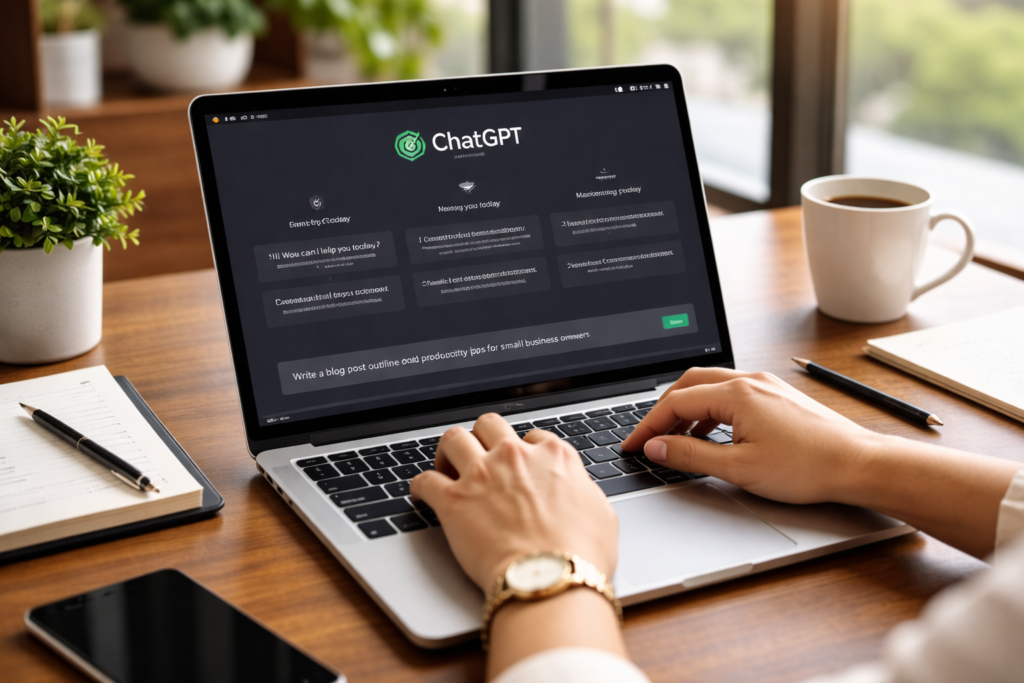
If there is a king of the internet right now, it’s ChatGPT. And if you haven’t used it yet, honestly—you’re missing out on one of the most powerful free AI tools available today.
ChatGPT is not just a trend. It’s a daily productivity tool that millions of people are already using to save time, reduce stress, and get more work done with less effort.
What Is ChatGPT?
In simple terms, ChatGPT is a chatbot you can talk to like a human. You can ask questions, give instructions, or assign tasks—and it responds within seconds.
From writing content and emails to brainstorming ideas, planning strategies, and even generating images, ChatGPT can handle a wide range of tasks. The best part? Even its free version is powerful enough to handle around 80% of daily tasks for small businesses and freelancers.
That’s why ChatGPT easily earns its place among the best Free AI Tools 2026.
How Does ChatGPT Help Your Business?
Imagine this situation:
You need to write an About Us page for your website.
Or you want to create an Instagram post.
Or you need help with a basic business plan, target audience research, or pricing strategy.
Earlier, this would mean hours of thinking, writing, editing, and second-guessing yourself.
Now, you simply tell ChatGPT what you need.
Example Prompt:
I’m starting a handmade jewelry business. Write 5 catchy Instagram captions that encourage people to buy, and include emojis.
The result?
You’ll get ready-to-use captions in under 10 seconds.
That’s the real power of AI—speed without sacrificing quality.
What Can You Use ChatGPT for (For Free)?
Here are some practical ways small business owners and freelancers use ChatGPT every day:
- Blog post ideas
Never run out of content ideas again. - Email writing
Write professional replies to customer queries or complaints. - Social media calendar planning
Plan posts for an entire month in minutes. - Product descriptions
Create compelling and persuasive product content. - Business plan creation
Turn a simple idea into a step-by-step business roadmap. - Target customer identification
Understand who your ideal customer really is. - Pricing strategy guidance
Learn how to price products for profit without guessing.
For anyone starting or growing a business, ChatGPT is not optional anymore—it’s one of the best Free AI Tools 2026 that can truly multiply your productivity.
Try ChatGPT (ClickHere)
2. Canva Magic Studio – Your Free Graphic Designer
I don’t know how to design.
This excuse simply doesn’t work anymore.
Honestly, I used to think graphic design was complicated too. Photoshop felt overwhelming, and hiring a designer was expensive. But the first time I used Canva, I finished my design work in less than 5 minutes—and it actually looked professional.
Earlier, creating a good social media post, banner, or logo meant either learning complex design software or paying someone else to do it. Today, you don’t need either. You just need Canva.
What Is Canva?
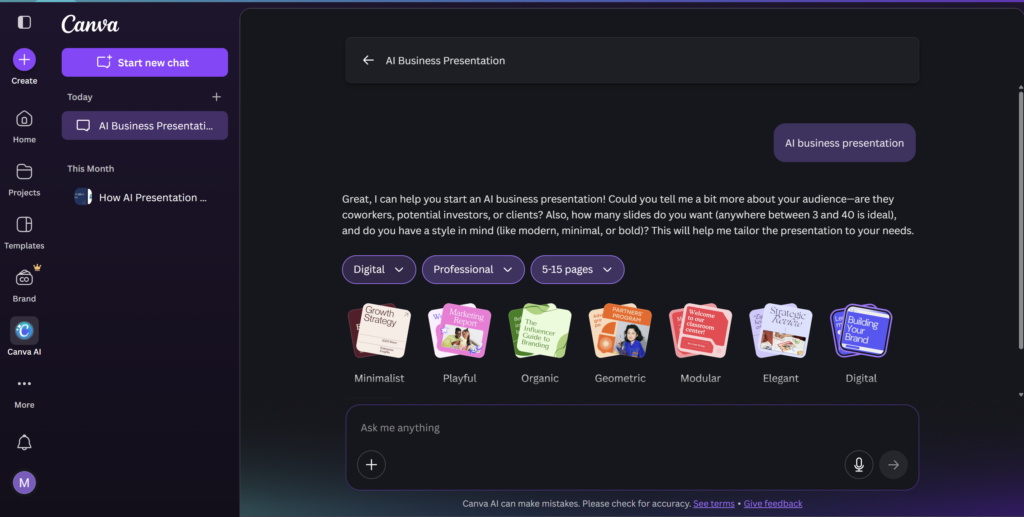
Canva is an online design tool built on a simple drag-and-drop system. You choose a template, edit the text, change images, and your design is ready—no technical skills required.
Its free version is incredibly powerful, to the point where you’ll genuinely feel like a professional designer. On top of that, Canva now includes AI-powered features like Magic Write, Magic Design, and even limited background remover credits for free users.
That’s why Canva easily qualifies as one of the best Free AI Tools 2026 for small businesses and creators.
How Does Canva Help Your Business?
Let’s take a simple example.
You want to announce a special offer on Facebook.
You open Canva → select “Facebook Post” → choose from thousands of ready-made templates → change the text → upload your photo.
That’s it.
Your professional-looking graphic is ready in minutes.
Canva’s built-in free AI tools help you:
- Write better text with Magic Write
- Improve visuals without design knowledge
- Create content that looks polished and trustworthy
This means you can focus on your business—not on learning design.
What Can You Use Canva for (For Free)?
Here’s what you can easily create using Canva’s free plan:
- Instagram posts and Reels
Design eye-catching content for social media. - YouTube thumbnails
Increase clicks with professional-looking thumbnails. - Business presentations
Create clean, modern presentations without PowerPoint stress. - Free stock photos & elements
Access a huge library of images, icons, and graphics.
For anyone who thinks design is a weakness, Canva turns it into a strength. It’s one of the best Free AI Tools 2026 that helps your brand look professional—even if you’re just starting out.
Try Canva (ClickHere)
3. Grammarly GO – Your English Editor and Proofreader
Has this ever happened to you?
You sent an important email to a client…
And later you noticed a spelling or grammar mistake.
That small error suddenly feels very big—because it affects how professional you look.
This risk is always there, especially if English is not your first language. Even confident professionals make mistakes when they’re in a hurry. And in business, one small mistake can damage trust.
This is where Grammarly GO becomes extremely valuable.
What Is Grammarly?
Grammarly is a smart writing assistant that corrects your mistakes as you write. It doesn’t just fix spelling—it checks grammar, sentence clarity, tone, and confidence.
With its new AI feature called Grammarly GO, the tool goes one step further. It can:
- Help you rewrite sentences
- Generate polite or professional email replies
- Adjust tone (formal, friendly, confident)
That’s why Grammarly deserves its place among the best Free AI Tools 2026.
How Does Grammarly Help Your Business?
Once you install Grammarly in your browser, it works everywhere:
- Gmail
- Google Docs
- Website forms
As soon as you make a mistake, Grammarly underlines it and suggests a better version in real time.
This means:
- Your emails look professional
- Your messages sound confident
- Your communication stays clear and error-free
In business, words matter. A single typo can ruin a good impression—or even a deal. Grammarly acts like a silent editor that protects your professional image at all times.
For freelancers, business owners, and anyone working online, Grammarly GO is one of the best Free AI Tools 2026 to communicate with confidence.
Try Grammarly GO (Click Here)
4. Notion – Your Digital Brain and Office
As your business starts growing, something unexpected happens—everything becomes scattered.
Your ideas are written in one notebook.
Your to-do list is in another app.
Client details are saved somewhere else.
Content planning is either in Google Docs or… nowhere.
Very soon, you’re spending more time searching for information than actually working.
This is exactly why Notion exists.
What Is Notion?
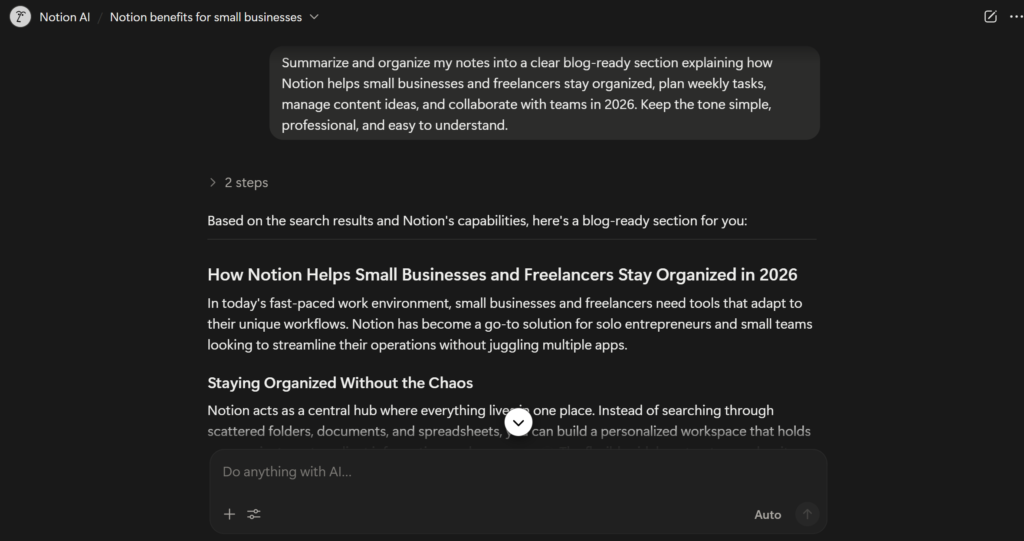
Think of Notion as your “second brain.”
It’s not just a notes app. Notion combines:
- Note-taking
- To-do lists
- Calendars
- Project management
- Team collaboration
—all in one clean, flexible workspace.
The best part?
Its free plan is extremely generous for individuals and small teams, which makes it a strong contender among the best Free AI Tools 2026 for productivity and organization.
How Does Notion Help Your Business?
With Notion, you can:
- Plan your entire week or month in one place
- Store business ideas, content plans, and SOPs
- Track tasks and deadlines clearly
- Collaborate with a small team of 2–3 people for free
Instead of juggling multiple tools, Notion gives you one central dashboard for your business.
Notion also includes AI features (available via free trial or limited use). These AI tools can:
- Turn long, messy notes into clean summaries
- Help you rewrite or organize content
- Save time when reviewing large amounts of information
Even without heavy AI usage, Notion alone can dramatically improve how focused and organized you feel.
For freelancers, creators, and small business owners who feel overwhelmed, Notion is one of the best Free AI Tools 2026 to bring clarity and structure back into daily work.
Try Notion (Click Here)
5. Buffer – Your Social Media Manager
Posting consistently on Instagram, Facebook, LinkedIn, and Twitter sounds simple—but doing it every single day is exhausting. It drains your time and energy, time that you could be using to actually grow your business.
Most business owners struggle not because they don’t have ideas, but because they don’t have time to post daily.
This is where Buffer becomes a lifesaver.
What Is Buffer?
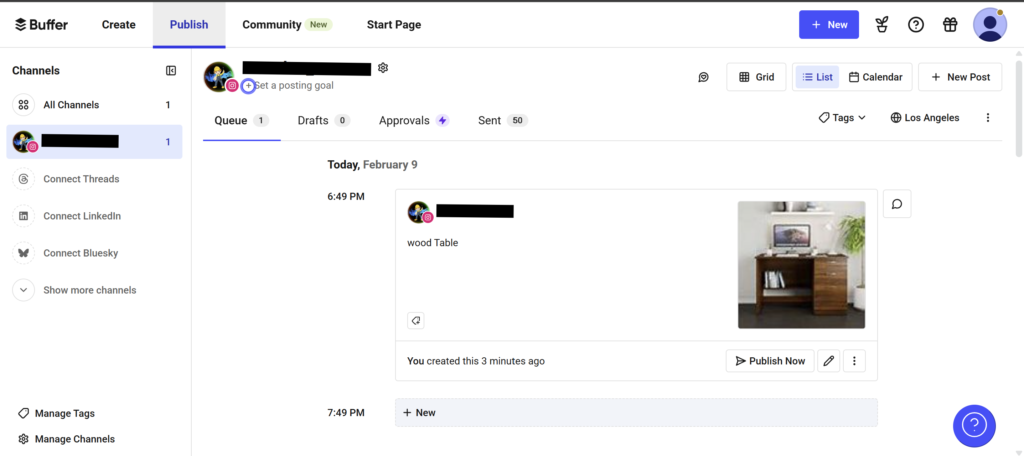
Buffer is a social media scheduling tool that allows you to plan, schedule, and publish posts automatically. Instead of logging in every day to post content, you can schedule everything in advance.
Its free plan is surprisingly powerful, especially for individuals, freelancers, and small businesses—making it one of the best Free AI Tools 2026 for social media management.
How Does Buffer Help Your Business?
Let’s look at a real-life example.
You spend 2 hours on Sunday:
- Designing posts in Canva
- Writing captions using ChatGPT
Now instead of posting daily, you open Buffer and upload all your content at once.
You decide:
- Monday post → 10:00 AM
- Wednesday post → 5:00 PM
- Friday post → 7:00 PM
Click schedule—and you’re done.
That’s it.
You don’t need to open Instagram, Facebook, or LinkedIn for the rest of the week. Buffer automatically publishes your posts at the right time, without reminders or stress.
This is what real automation looks like.
For busy entrepreneurs, freelancers, and creators, Buffer helps you stay consistent on social media without feeling overwhelmed. That’s why it earns its place among the best Free AI Tools 2026.
Try Buffer (Click Here)
Conclusion: Start Today, Not Someday
If you have any questions or need help getting started, feel free to reach out through our Contact Us page. We’re always happy to help.

These 5 free AI tools are just the beginning. The world of AI is huge, and honestly, you don’t need to learn everything in one day. Trying to do that will only overwhelm you.
My simple advice?
👉 Pick just one tool today.
If you’re confused about where to start, I’d recommend ChatGPT or Canva. They are beginner-friendly, powerful, and immediately useful. Write an email. Create a social media post. Design something simple. Just start.
Don’t worry about doing things “wrong.”
AI isn’t rocket science. It’s not here to replace you—it’s here to support you, save your time, and make your work easier.
In 2026, the most successful businesses won’t be the ones working the hardest.
They’ll be the ones working the smartest.
And the smartest move you can make today is to start using the best Free AI Tools 2026 and make AI your everyday business partner.
Your turn:
Are you already using any of these tools? Or is there a free AI tool you love that didn’t make it to this list?
👉 Let us know in the comments—we’d love to hear from you.
(Want even more productivity without installing new software? You’ll love our complete breakdown of 10 Best Free AI Chrome Extensions That Will Do Hours of Work in Minutes, perfect for freelancers and small business owners.)
❓ Frequently Asked Questions (FAQs)
Q1. What are the best Free AI Tools 2026 for small businesses?
The best Free AI Tools 2026 for small businesses include tools like ChatGPT for writing and planning, Canva Magic Studio for design, Grammarly GO for error-free communication, Notion for organization, and Buffer for social media scheduling. These tools help save time, reduce workload, and improve productivity without any cost.
Q2. Are free AI tools really useful for business growth?
Yes, absolutely. Free AI tools are extremely useful, especially for beginners and small teams. The best Free AI Tools 2026 can handle tasks like content creation, email writing, design, planning, and automation—allowing business owners to focus on growth instead of repetitive work.
Q3. Do I need technical or coding skills to use AI tools?
No. Most of the best Free AI Tools 2026 are designed for non-technical users. If you can type, click, and drag-and-drop, you can use these tools easily. No coding or technical background is required.
Q4. Which free AI tool should I start with as a beginner?
If you are just starting out, ChatGPT and Canva are the best options. They are beginner-friendly, easy to understand, and instantly useful. That’s why they are always included in lists of the best Free AI Tools 2026.
Q5. Can free AI tools replace employees?
No. AI tools are meant to assist, not replace. The best Free AI Tools 2026 help you work faster and smarter, but human creativity, decision-making, and strategy are still essential. Think of AI as a support system, not a replacement.
Q6. Are these free AI tools safe to use?
Yes, these tools are widely used by businesses and professionals worldwide. However, you should avoid sharing sensitive or confidential information. When used properly, the best Free AI Tools 2026 are safe and reliable for daily business tasks.
Q7. Can I run my entire business using only free AI tools?
For many small businesses and freelancers, yes—at least in the early stages. The best Free AI Tools 2026 can manage content, communication, planning, and social media, reducing the need for expensive software.
Q8. Are free AI tools limited compared to paid ones?
Free versions do have some limitations, but they are more than enough for beginners. Many users successfully run their workflows using the best Free AI Tools 2026 without upgrading to paid plans.


3 Comments